
5.6k
Downloads
55
Reviews
Latest Version
Version

DS4Windows Download Free for Windows (Latest Version)
Many PC games are designed with Xbox controllers in mind, which can create compatibility issues for PlayStation users. If you prefer using a DualShock 4 or DualSense controller on your Windows PC, you may notice that some games fail to recognize it properly or do not support it at all.
DS4Windows solves this problem by allowing Windows to detect PlayStation controllers as Xbox controllers. It acts as a bridge between your controller and the operating system, making it easier to play games from Steam, Epic Games Store, Xbox Game Pass, and many other platforms without controller compatibility issues.
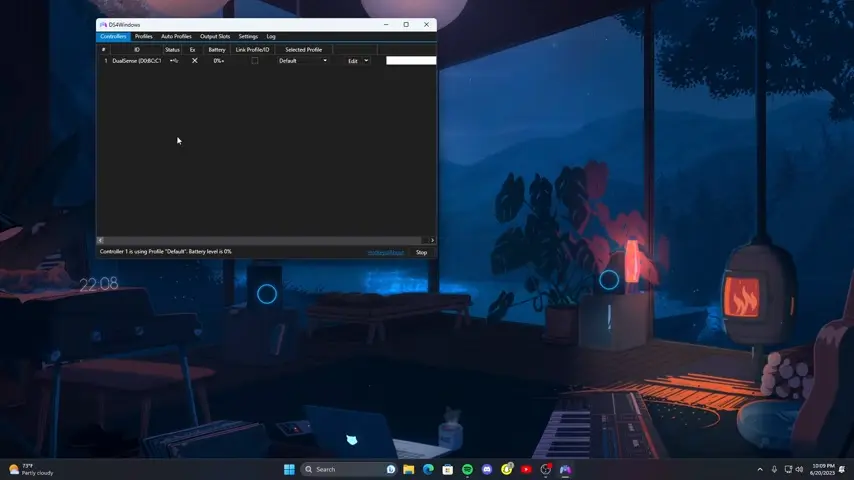
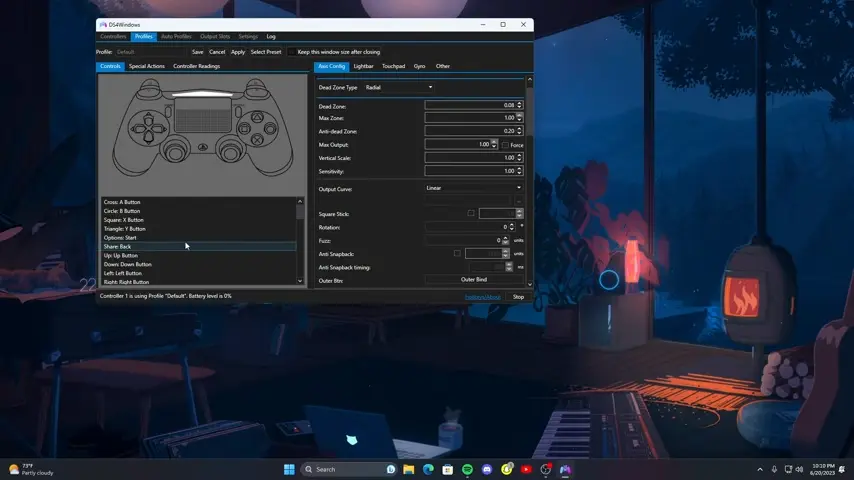
What is DS4Windows?
DS4Windows is a free controller utility that enables Sony DualShock 4 and DualSense controllers to work smoothly on Windows PCs. The software creates a virtual Xbox 360 controller, allowing games with limited PlayStation controller support to recognize your device correctly.
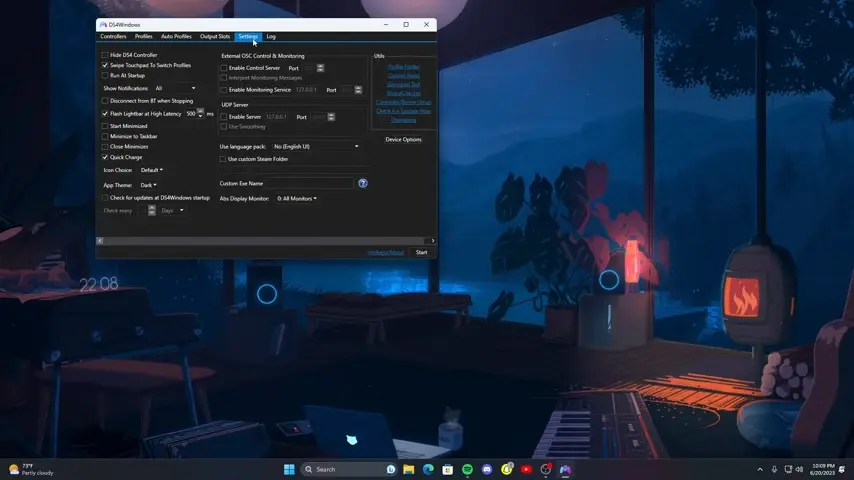
Originally developed for DualShock 4 controllers, the application now supports a wide range of PlayStation controllers and customization options. Users can adjust button mappings, sensitivity settings, touchpad functions, motion controls, lighting effects, and more.
For gamers who want better controller support without buying additional hardware, DS4Windows remains one of the most popular solutions available.
Key Features of DS4Windows
PlayStation Controller Support
DS4Windows allows Windows to recognize DualShock 4, DualSense, and other compatible controllers. This improves compatibility with thousands of PC games.
Xbox Controller Emulation
Similar to how Special K enhances game performance and graphics settings, DS4Windows improves controller compatibility for games that lack native PlayStation controller support.
Custom Button Mapping
You can remap controller buttons according to your preferences. This is useful for creating custom layouts for different games.
Touchpad Functionality
The DualShock 4 touchpad can be used as a mouse or assigned to specific commands. This adds flexibility when navigating Windows or controlling certain games.
Motion Controls and Gyroscope Support
DS4Windows supports gyroscope and motion sensors found in PlayStation controllers. Some users utilize these features for aiming or camera control in supported games.
Multiple Profiles
Gamers who manage large game libraries through Playnite often use DS4Windows profiles to create controller settings for different games.
Battery Monitoring
The software displays controller battery status, helping users keep track of charging levels during gaming sessions.
LED Light Customization
Users can customize the controller’s light bar color and brightness to create a personalized gaming experience.
Macro and Shortcut Support
Advanced users can create macros and assign custom shortcuts to controller buttons for improved productivity and gameplay convenience.
DS4Windows Features Overview
Feature | Benefit |
|---|---|
Xbox Controller Emulation | Improves game compatibility |
Custom Profiles | Different settings for different games |
Button Remapping | Personalized controls |
Touchpad Support | Mouse and gesture functionality |
Motion Controls | Gyroscope-based aiming and controls |
Battery Monitoring | Tracks controller charge levels |
LED Customization | Personalizes controller appearance |
Macro Support | Automates commands and shortcuts |
System Requirements
Before installing DS4Windows, make sure your PC meets these requirements:
Component | Requirement |
|---|---|
Operating System | Windows 10 or Windows 11 |
Processor | Intel or AMD Dual-Core Processor |
RAM | 2 GB Minimum |
Storage | Less than 100 MB Available Space |
.NET Runtime | Required for proper functionality |
Controller | DualShock 4, DualSense, or supported gamepad |
How to Download and Install DS4Windows
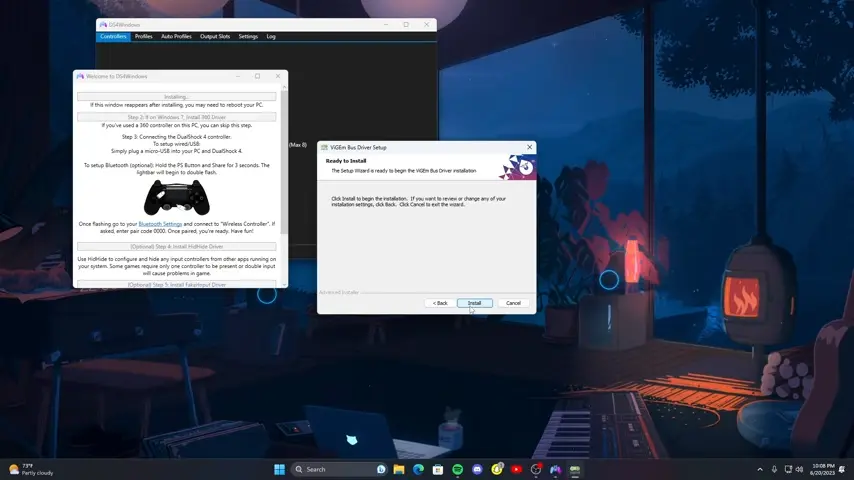
Downloading and setting up DS4Windows is straightforward. Use the download button available on this page to get the latest version of the software.
Installation Steps
- Click the download button provided above on this page.
- Download the latest DS4Windows setup package.
- Extract the downloaded ZIP file to a preferred folder.
- Open the extracted folder and run the DS4Windows executable.
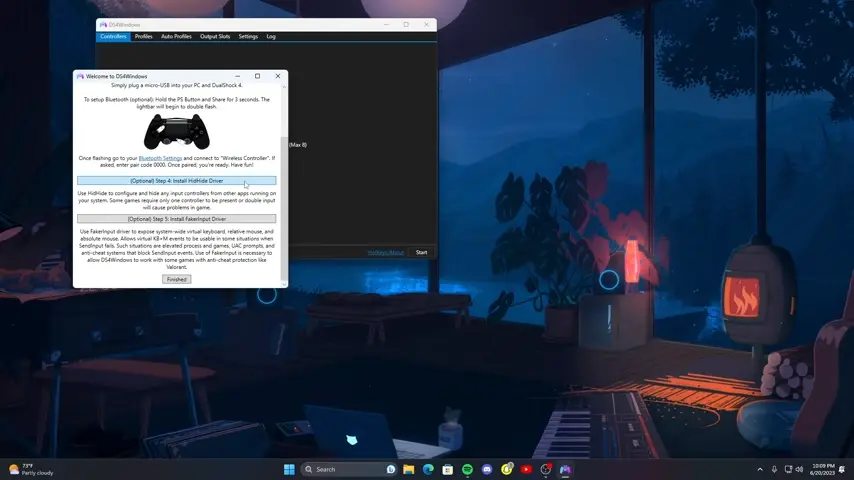
- Follow the initial setup wizard instructions.
- Install any required drivers when prompted.
- Connect your DualShock 4 or DualSense controller using USB or Bluetooth.
- Launch DS4Windows and verify that the controller is detected successfully.
Once connected, you can create custom profiles, adjust settings, and start playing supported games immediately.
Pros and Cons
Pros
- Free and lightweight software
- Excellent PlayStation controller support
- Works with most PC games
- Easy profile management
- Customizable controls and lighting
- Supports wireless Bluetooth connections
- Regular updates from the community
Cons
- Initial setup may be confusing for new users
- Some games may require additional configuration
- Driver installation is necessary for full functionality
- Advanced settings can feel overwhelming
Conclusion
DS4Windows remains one of the best tools for using PlayStation controllers on Windows PCs. It improves compatibility with PC games, offers extensive customization options, and allows players to enjoy their preferred controller without limitations.
For anyone who regularly uses a DualShock 4 or DualSense controller, DS4Windows provides a reliable solution that is easy to install and highly effective. Its combination of controller emulation, profile management, and customization features makes it an essential utility for many PC gamers.
System Tools:
SuperF4
Process Termination Tool
ExplorerPatcher
Windows Customization Tool
WinUtil
Windows Tweaking Tool
Quick CPU
CPU Optimization Tool
Winaero Tweaker
Windows Tweaking Tool
See More
Gaming & Media:
DS4Windows
PlayStation Controller
Mod Organizer 2
Game Modding Tool
Borderless Gaming
Borderless Window Gaming Utility
Special K
Game Optimizer
Playnite
Game Library Manager
See More
Internet & Network:
Neat Download Manager
Download Accelerator
Proton VPN
Secure Browsing
Psiphon VPN for PC
Secure Browsing
Iriun Webcam
Turn phone into webcam
Messenger for PC
Text messaging
See More
Productivity & Recovery:
PowerToys
Productivity Tool
Cura Software
3D printer slicing software
Power BI Desktop
Data visualization
4Download Fl Studio
Music production software
Anyunlock
iPhone unlock tool
See More