

1.2k
Downloads
70
Reviews
2.3
Version

Free DNS Jumper Download for Windows (Latest Version)
Having trouble with internet speed or want to give it a boost, improve privacy, and improve gaming performance? With DNS Jumper, you can do it all in just one click. Get it now for free and see the difference for yourself.
DNS Jumper is a powerful and lightweight tool with interesting features and abilities. It lets users easily change DNS servers without messing with complicated settings. No matter whether you want fast browsing, a better connection, or better privacy, this tool makes it easy with just one click.
Instead of using old methods that need manual setup, DNS Jumper provides a built-in list of popular DNS providers like Google DNS, Cloudflare, OpenDNS, and more. This makes it easy to boost your connection with little effort. It is great for anyone who wants better control of their network, stronger online security, or smooth gaming.
In this guide, we will help you by providing you with details about a secure DNS Jumper download, including system needs. A complete guide and security tips to help you start right away on any Windows device.
What Is DNS Jumper and Why Does It Matter?
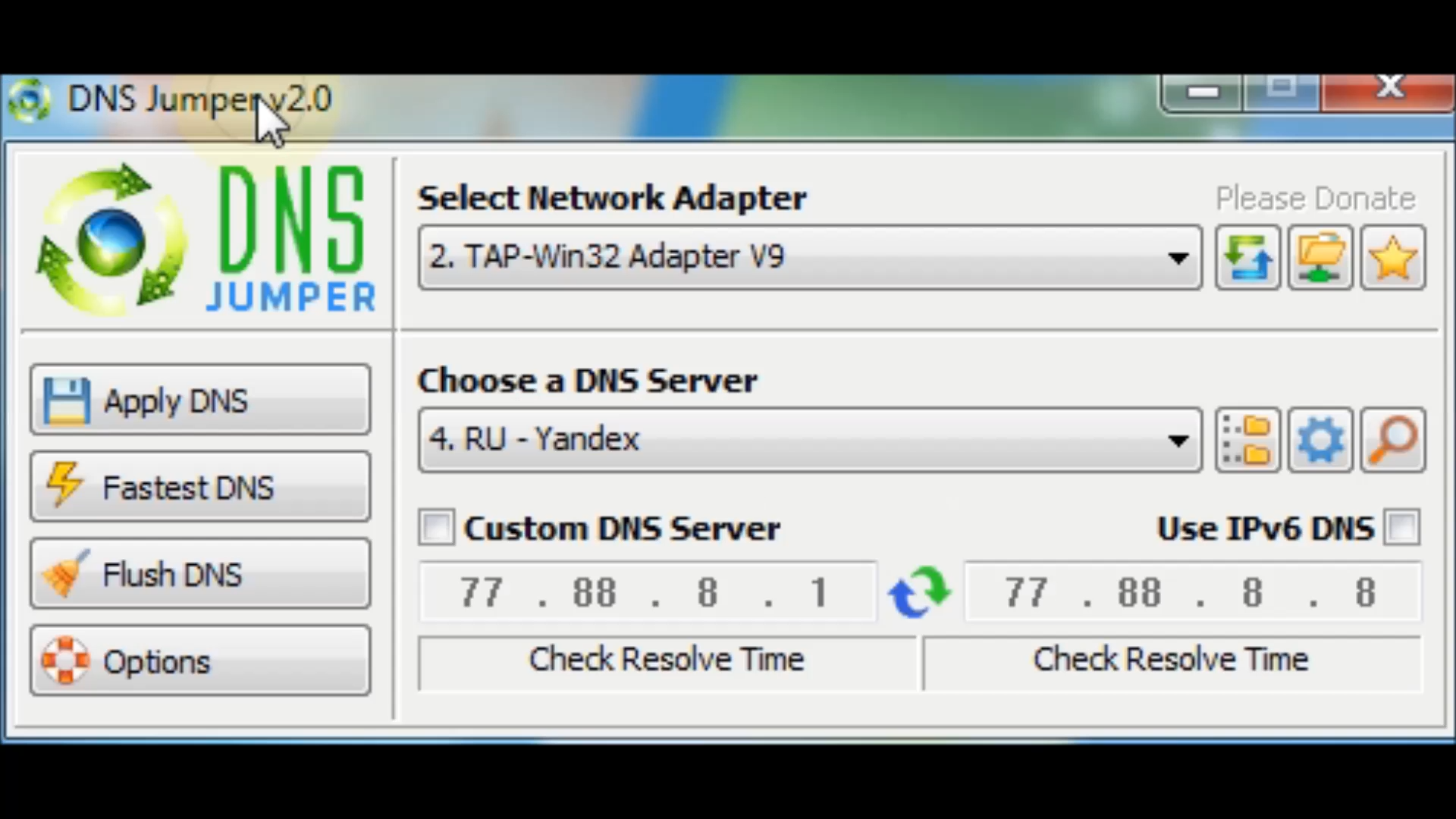
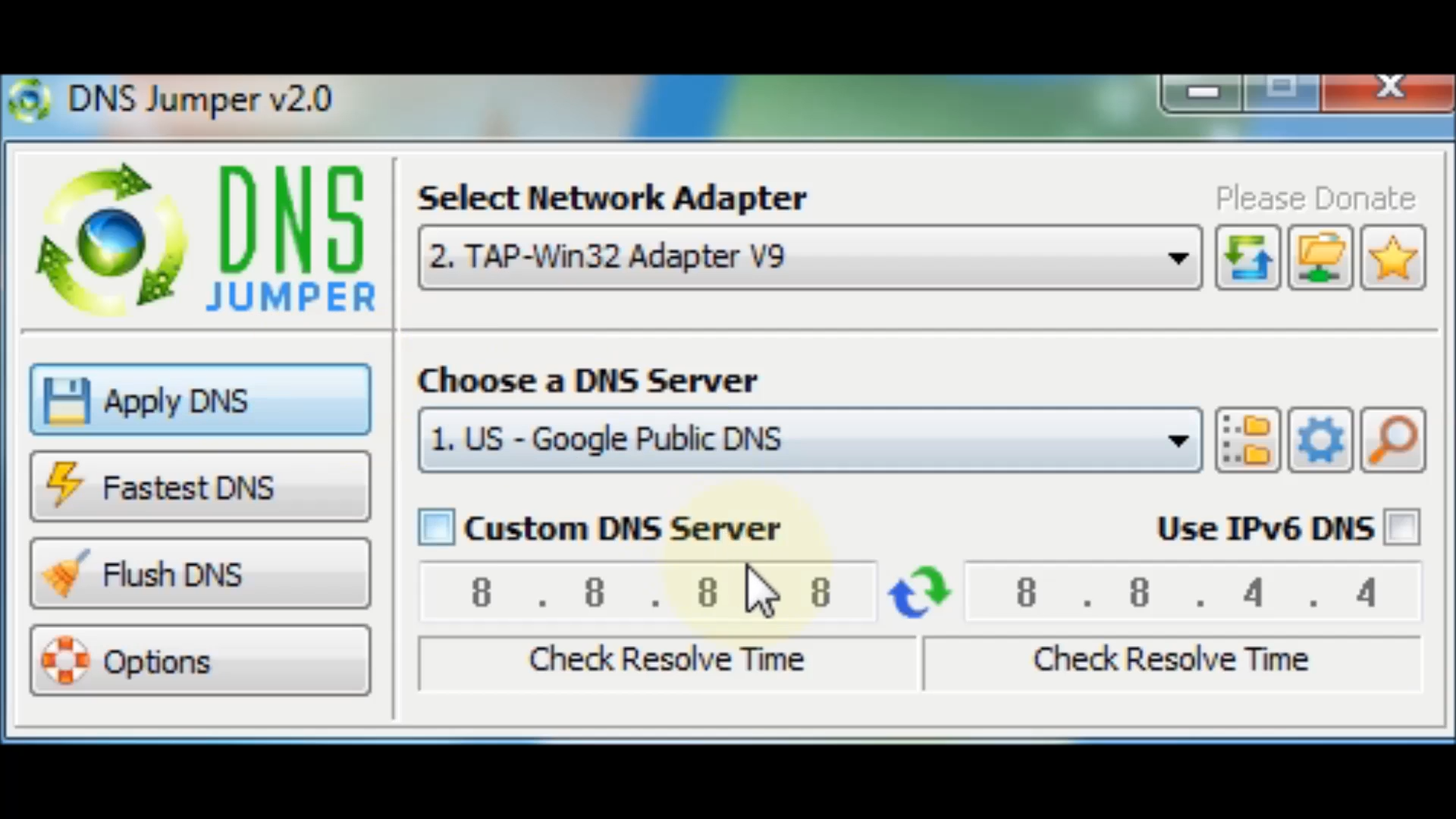
DNS Jumper is a free Windows tool made by the Sordum organization that makes changing DNS settings easy. Instead of typing the DNS address by hand in the Control Panel or editing the registry, you can use its one-click interface that updates your network settings automatically.
By using faster or more private DNS servers, users can enjoy quicker page loads, get around small location blocks, and block harmful sites. It runs with a lightweight file, and no setup or system changes are needed.
Compared to built-in DNS settings, DNS Jumper offers extra features like speed tests, backup and restore options, and support for IPv6, making it more flexible than using Windows settings alone.
Key Features
In a single interface, DNS Jumper delivers:
- One-click DNS switching: apply to top public DNS servers instantly
- Boost-free browsing: improved page load speed with lower latency
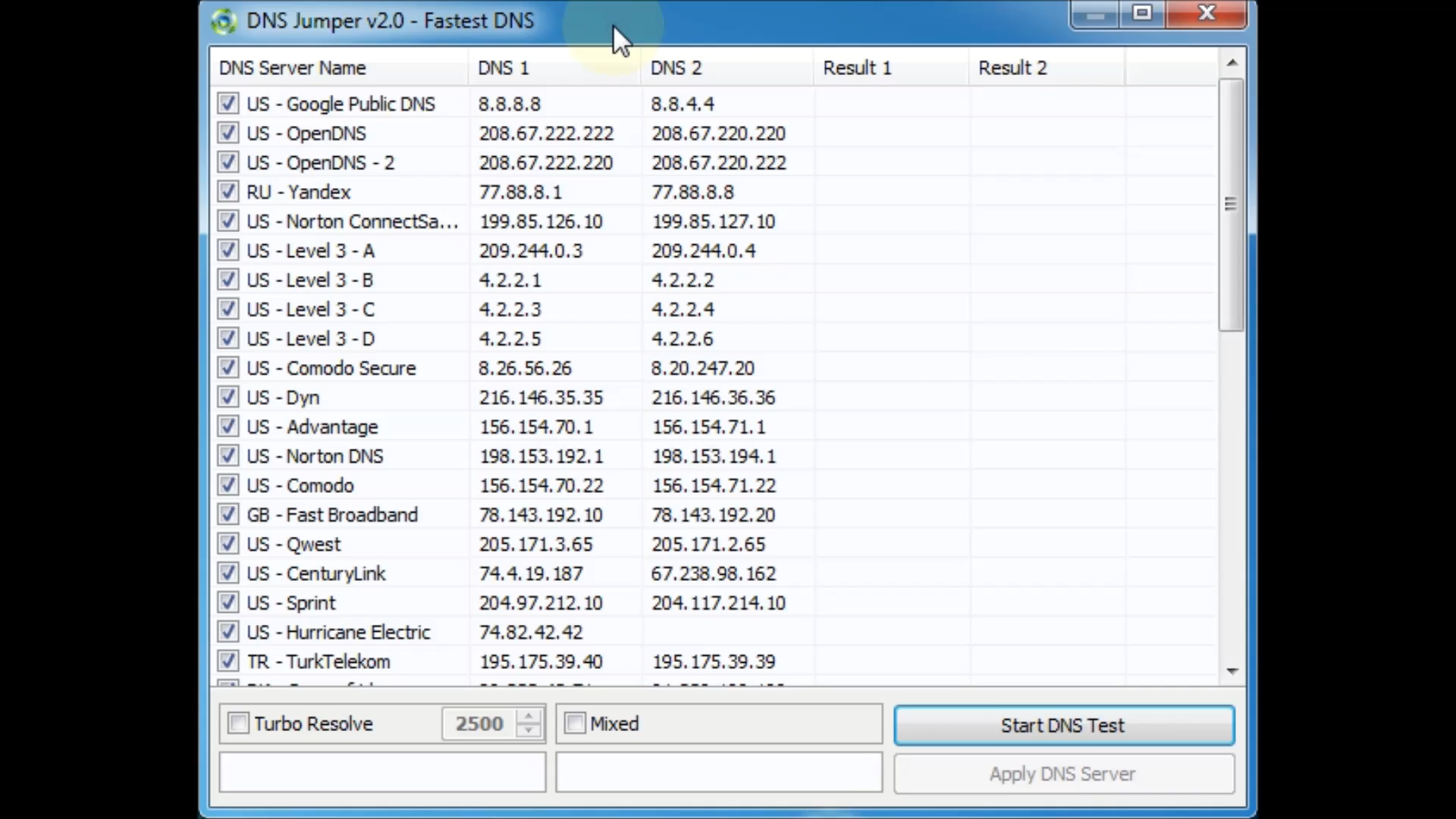
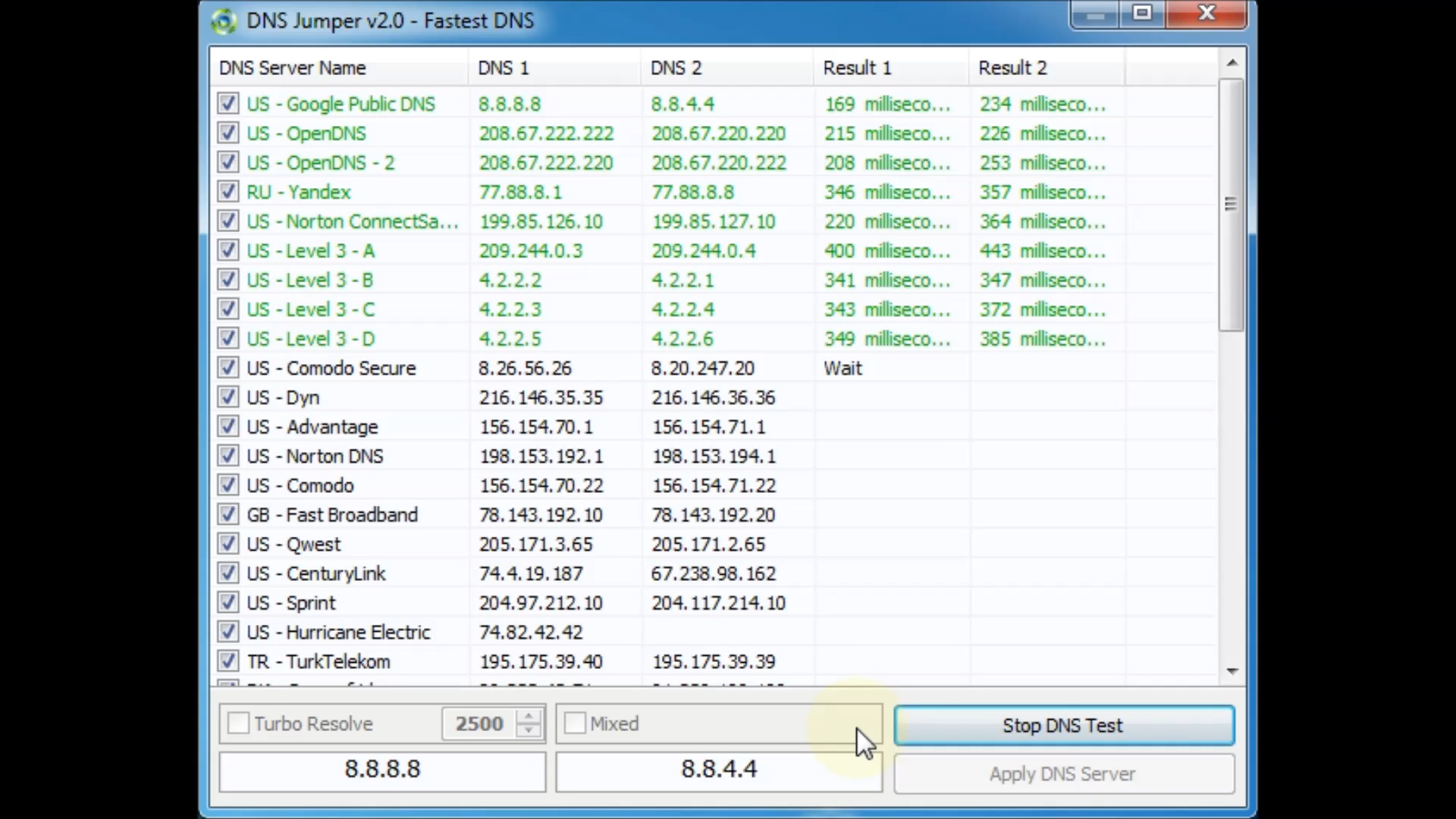
- Fastest DNS detection: benchmark and set the quickest server
- Portable & no install: small EXE file runs instantly
- IPv6 support: manual and preset options included
- Backup and restore: never lose original settings
- Proxy configuration: an optional layer for advanced users
It contains fast speed, improved privacy, and an easy-to-use interface. That’s why DNS Jumper remains a favorite among both beginners and experts.
Why Gamers Use DNS Jumper (Including Fortnite)?
DNS does not change your in-game ping, but it can help with better server connection and faster loading times. Gamers who mostly play Fortnite use DNS Jumper to find the fastest DNS. This can make things like joining lobbies, loading game parts, and text updates quicker and smoother.
Secure DNS Jumper Download
DNS Jumper is free and comes in a portable ZIP file with no installer, no ads, and no hidden software. It has been downloaded and used around the world with no reports of viruses or anything unsafe.
System Requirements
Component | Minimum Requirement |
|---|---|
Operating System | Windows 7 / 8 / 8.1 / 10 / 11 (x86 or x64) |
File Size | 500 KB (portable .exe file) |
No Installation | Just unzip and run |
Internet Access | Recommended for seeing latest DNS list updates |
Its lightweight nature guarantees that it works well on both modern and older systems, offering better performance without any stress.
How to Use DNS Jumper on Windows
Here’s a detailed walkthrough of the essential steps:
- Unzip and launch the executable—no installer is needed.
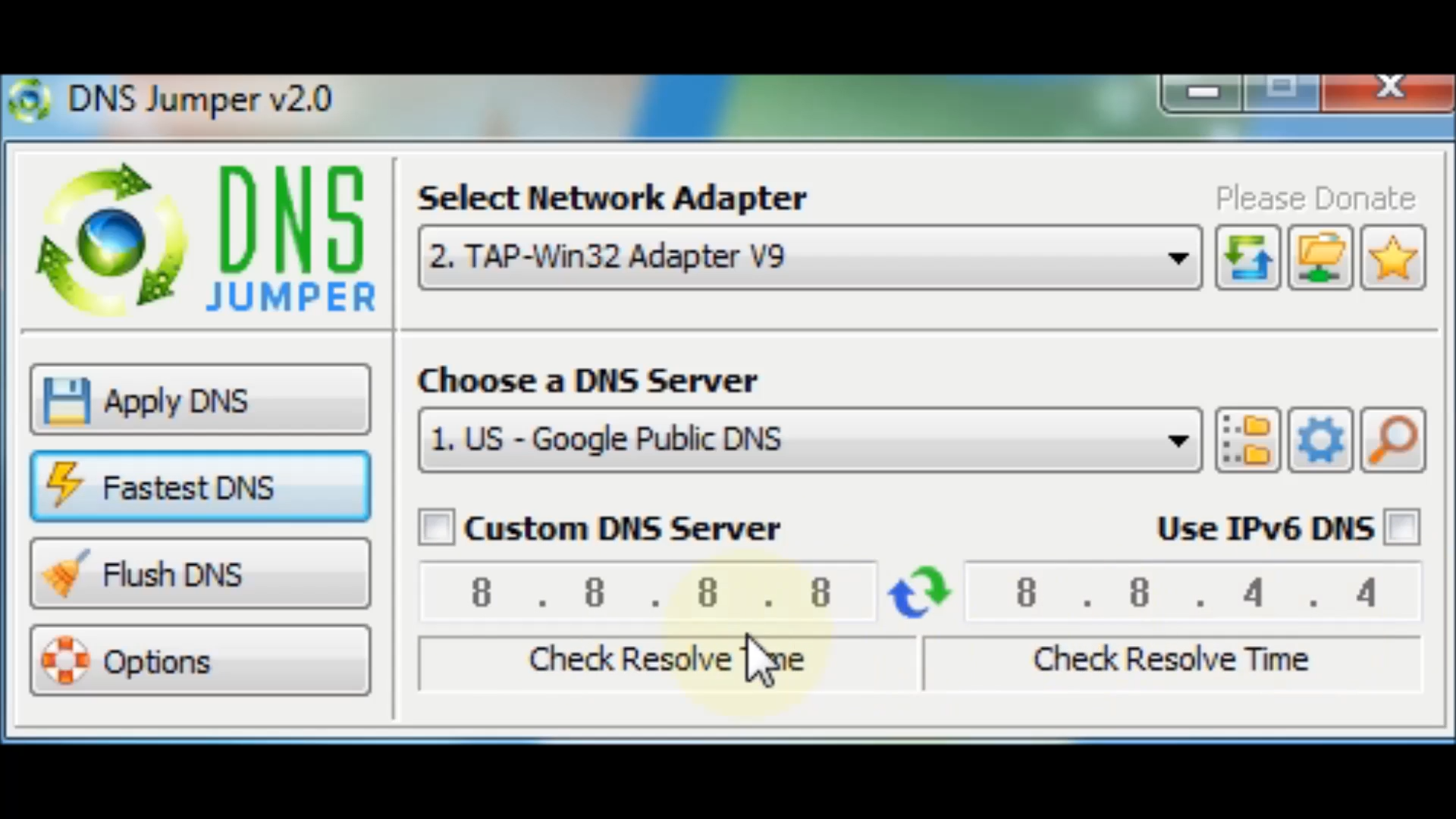
- Choose a preset DNS such as Google (8.8.8.8 / 8.8.4.4), OpenDNS, or Cloudflare (1.1.1.1).
- Click “Apply DNS”—your current network adapter refreshes with the new DNS instantly.
- For optimal results, use Fastest DNS: it benchmarks public servers and applies the one with the lowest response time.
- Back up the current DNS using the backup button before making changes.
- To revert, open your backup list and click Restore DNS.
- Advanced Options: manual DNS entry and toggle IPv6 to suit your network setup.
- Proxy setup is available for users wanting layered configurations.
Security and Safety Profile
It is a secure, trusted, and clean tool with a lot of popularity. It is consistently classified as virus-free by reputable download sites such as MajorGeeks and Softonic, and it is frequently updated on GitHub, showing that it’s secure and open to users.
There are no built-in ads or installers, and each version is signed and checked by Sordum. Users often confirm that it’s safe to use.
- No malware alerts
- No bloatware installed
- No system modifications beyond DNS
This makes DNS Jumper from reputable sources among the safest utility downloads available for Windows.
Use Cases Beyond Gaming
While most users link DNS Jumper with gaming, it works just as well for everyday browsing, streaming, and boosting general internet performance.
- Faster browsing speeds, especially in regions with slow default DNS
- Geo-block bypassing for accessing region-limited content
- DNS-based content filtering, applies a family-safe or security-focused DNS
- Network troubleshooting, switch DNS to isolate ISP issues
- Privacy and security enhancement, avoiding malicious domains.
These uses make DNS Jumper a handy tool for everyday internet users, families, tech support, and professionals alike.
Common Misunderstandings Clarified
- DNS Changes Don’t Lower Game Latency Directly: DNS helps speed up domain name resolution, not the whole data process. Still, using a faster DNS can remove early delays when servers are loading or finding matches, which can make game startup smoother.
- DNS Jumper Isn’t Malware or a Virus: Even though some people have concerns, DNS Jumper has no harmful code, installer, or ads. It only changes DNS settings and does not affect anything else on the system.
Final Verdict
DNS Jumper is a lightweight yet powerful tool that delivers instant DNS switching, improved browsing speed, and better network control, all without installation or system bloat. Its clean interface, trusted safety record, and advanced features like fastest DNS benchmarking and IPv6 support make it a go-to solution for both casual users and gamers. Whether you’re optimizing your Fortnite connection or securing your internet with privacy-first DNS providers, DNS Jumper offers a reliable, portable solution worth downloading.
System Tools:
SuperF4
Process Termination Tool
ExplorerPatcher
Windows Customization Tool
WinUtil
Windows Tweaking Tool
Quick CPU
CPU Optimization Tool
Winaero Tweaker
Windows Tweaking Tool
See More
Gaming & Media:
Special K
Game Optimizer
Playnite
Game Library Manager
Filmmaker
Free Movie Maker
Roblox Account Manager
Roblox Account Manager
DirectX End User Runtime
Gaming graphics enhancement
See More
Internet & Network:
Neat Download Manager
Download Accelerator
Proton VPN
Secure Browsing
Psiphon VPN for PC
Secure Browsing
Iriun Webcam
Turn phone into webcam
Messenger for PC
Text messaging
See More
Productivity & Recovery:
PowerToys
Productivity Tool
Cura Software
3D printer slicing software
Power BI Desktop
Data visualization
4Download Fl Studio
Music production software
Anyunlock
iPhone unlock tool
See More