

2.4k
Downloads
23
Reviews
9.29.1974
Version

DirectX End User Runtime Free Download
It is important to get a trusted way to get the DirectX End User Runtime. For this purpose, you can download it directly from our site without worrying about security risks. We bring a clean, trusted, and virus-free setup so you can enjoy smooth gaming and multimedia performance on your PC.
The DirectX End User Runtime is an important software package created by Microsoft that improves multimedia performance on Windows. It helps games and applications run smoothly by providing the essential libraries and components for advanced graphics and sound.
This runtime is very helpful for running older programs and games that still need earlier versions of DirectX. Without it, some apps may not start or run properly. Adding it helps your system work well with a wide range of software.
Downloading the DirectX End User from our site means getting safe, updated, and virus-free software that boosts the performance and stability of your system. Whether you’re a gamer, a designer, or just want smoother multimedia, this tool is a must-have.


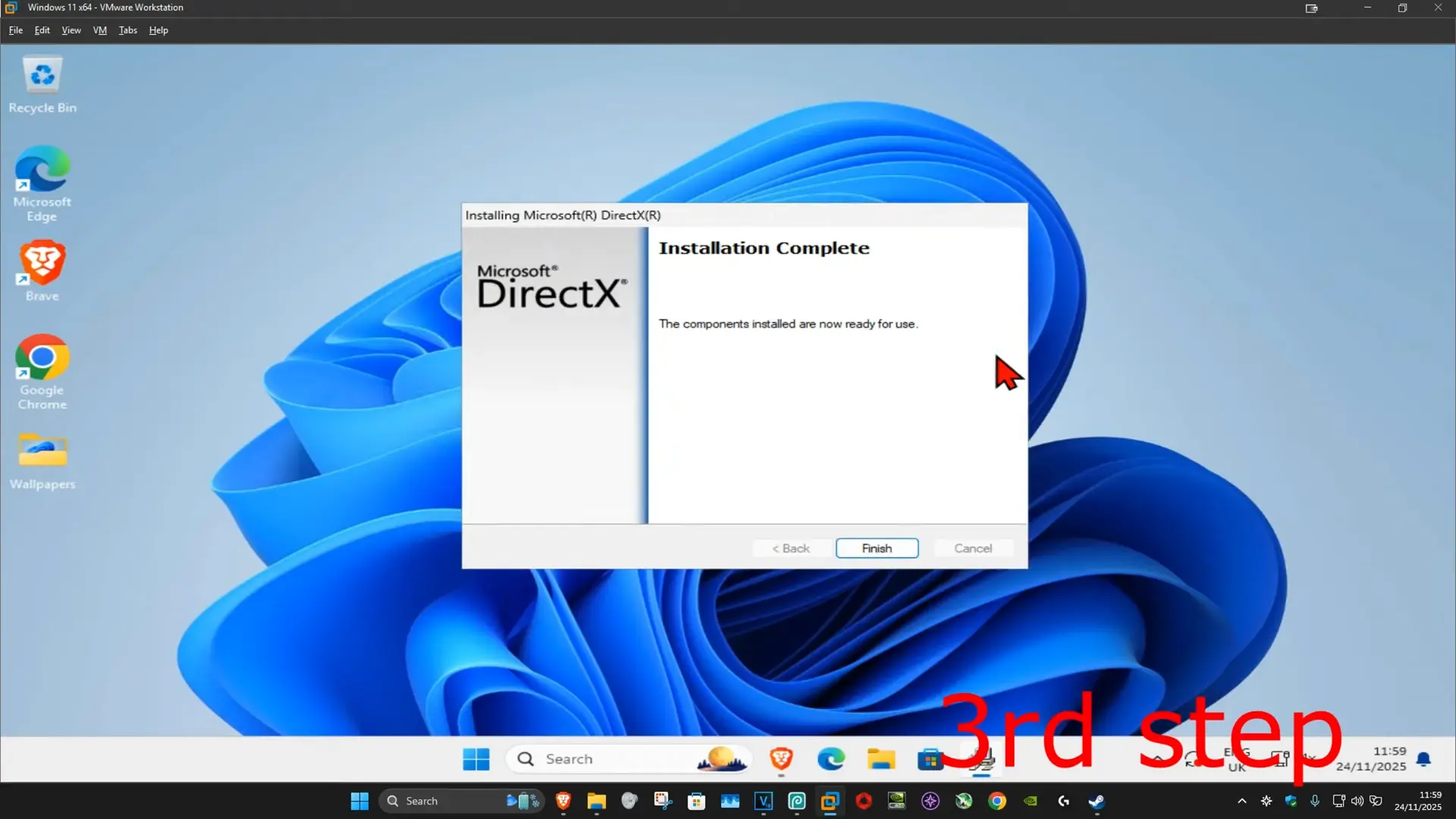
What is DirectX End User Runtime?
This software is a collection of libraries and components from Microsoft that let Windows applications, mostly games, have advanced graphics, sound, and interactive features. It plays a key role in keeping older software that relies on previous DirectX versions running properly, making it important for both gaming lovers and users who work with multimedia applications.

Why Choose DirectX End User Runtime?
The best answer behind why the DirectX End User Runtime remains on top among different options is here. It makes your PC ready for smooth gaming and multimedia use. Second it provides the key files that are required to run old software that depends on past DirectX versions, while also improving graphics, sound, and overall stability. By installing it, your system can handle both modern and classic applications without issues. Lightweight, safe, and reliable, it’s a must-have tool for every Windows user.
Key Features of DirectX End User Runtime
The DirectX End User comes with a lot of benefits that make it an important component for gamers and multimedia users alike. The DirectX End User offers many benefits that make it important for both gamers and multimedia users. It improves system performance, works with a wide range of apps, and helps both new and older programs run smoothly. Here are some of its main features:
Improved Graphics Performance
With better graphics support, this runtime helps apps run with smoother visuals and less lag. It also improves how graphics are handled, making animations and effects look more realistic.
Support for High-End Gaming
Advanced and heavy games depend on DirectX components to function properly. This package helps them run smoothly by giving them the needed tools for advanced gaming features.
Compatibility with Older Windows Games
Many old PC titles were built on earlier DirectX versions. Installing this package makes sure these games still work without errors, letting you enjoy your retro favorites.
Better Multimedia Playback
Beyond gaming, this package also improves how apps handle video and sound. It gives smoother playback, clearer audio, and better visuals in different multimedia programs.
System Requirements for DirectX End User Runtime
Before you download DirectX End User, check that your PC meets all the requirements. The software is small, but making sure your system matches the minimum or recommended needs will give you the best performance for gaming and multimedia.
Requirement | Minimum | Recommended |
|---|---|---|
Operating System | Windows 10 / 11 | |
Processor (CPU) | 1 GHz or faster | Dual-core processor or higher |
Memory (RAM) | 1 GB RAM | 4 GB RAM or more |
Graphics Card (GPU) | DirectX 9 compatible | DirectX 11/12 compatible |
Storage Space | 100 MB free space | 500 MB free space |
Internet | Required for installation/update | Required for updates |
How to Download & Install DirectX End User Runtime?
It is very easy and fast to download and install the DirectX End User Runtime. With our safe and trusted link, you can make settings in a few minutes and enjoy better performance for games and multimedia. Just follow the steps given below to complete the installation smoothly.
Step-by-step process:
- Visit our website and click the download link.
- Wait for the setup file to finish downloading.
- Open your PC’s Downloads folder and find the installer.
- Right-click the file and choose Run as Administrator.
- Follow the steps shown on the screen and pick where to install.
- When the setup is complete, restart your computer.
- After a restart, the DirectX End User will be ready to use.
Common Issues & Fixes with DirectX End User Runtime
Even though the DirectX End User is reliable, users may face certain issues during installation or while running applications. Thankfully, most of these problems have simple solutions that can be applied without much effort. Here are some common issues and their quick fixes:
- Installation Errors: Sometimes the setup may fail to install properly. Running the installer as Administrator and ensuring your Windows is updated usually resolves this issue.
- Missing DLL Files: Applications may show errors about missing DLL files. Reinstalling the DirectX End User or updating your graphics drivers can fix this problem.
- Update Problems: If updates don’t install correctly, check your internet connection and run Windows Update. Manually downloading the latest version from the official site also helps.
- Compatibility Issues: Older games may not run smoothly without the runtime. Installing the package ensures backward compatibility and allows older software to function properly.
Final Verdict
The DirectX End User is a must-have tool for anyone who plays games or runs multimedia programs on Windows. It ensures smooth compatibility, stable performance, and reliable playback for both modern and older applications. Installing it is quick, safe, and guarantees your system is always ready for demanding visuals and interactive software. For smooth gameplay and modding experience, make sure you have DirectX End User Runtime installed. It works perfectly with tools like Monke Mod Manager and WeMod.
System Tools:
Process Lasso
CPU Optimization
Wise Memory
RAM Optimizer
SuperF4
Process Termination Tool
ExplorerPatcher
Windows Customization Tool
WinUtil
Windows Tweaking Tool
See More
Gaming & Media:
Razer Cortex
Game Booster
EasyBCD
Boot Management
HidHide
Controller Hiding
XOutput
Controller Emulator
DS4Windows
PlayStation Controller
See More
Internet & Network:
Neat Download Manager
Download Accelerator
Proton VPN
Secure Browsing
Psiphon VPN for PC
Secure Browsing
Iriun Webcam
Turn phone into webcam
Messenger for PC
Text messaging
See More
Productivity & Recovery:
AOMEI Backupper
Backup & Recovery
PowerToys
Productivity Tool
Cura Software
3D printer slicing software
Power BI Desktop
Data visualization
4Download Fl Studio
Music production software
See More