

10k
Downloads
2.2k
Reviews
3.7.2
Version

Roblox Account Manager Download: Multi-Account Tool for Roblox
Download Roblox Account Manager directly from our platform to enjoy a smooth and reliable setup. We ensure the file is genuine, safe, and free from any unwanted extras, giving you a hassle-free experience right from the start.
Handling several Roblox accounts can often become tiring, especially when switching between them repeatedly. With the Roblox Account Manager, that process becomes quick and effortless. It stores your sessions securely and allows instant switching, so you can focus entirely on your gameplay.
This tool isn’t just for players, it’s also perfect for developers and traders who manage multiple profiles. With features like account labeling, quick launch options, and reduced login errors, Roblox account management is far more efficient.
In the sections ahead, we’ll dive into everything you need to know: the features that make this tool stand out, the system requirements for smooth use, the installation process, and common troubleshooting tips. By the end, you’ll understand why it’s the go-to solution for anyone managing multiple Roblox accounts.


What Is Roblox Account Manager?
This is a specialized tool designed to simplify account handling for Roblox users. Instead of constantly logging in and out, it allows you to save multiple profiles in one place and switch between them with ease. This makes it especially useful for gamers, developers, or traders who rely on quick access to different accounts without the risk of forgetting passwords or facing unnecessary delays.

How Roblox Account Manager Stands Out?
Unlike browser extensions or basic login tools, this software provides a more secure and organized way to manage Roblox accounts. It reduces errors, speeds up game launches, and stores sessions safely without overcomplicating the process. Compared to competitors like Rologin, it delivers smoother account switching, stronger reliability, and more flexibility, making it the smarter choice for serious Roblox players and creators.
Key Features
This tool comes packed with features that make managing multiple Roblox accounts faster, safer, and more convenient. From storing credentials securely to offering developer-friendly options, it provides everything needed for smooth account handling and error-free gameplay.
Secure Local Account Storage
Your login sessions are saved locally with encryption, ensuring that sensitive details remain protected while still allowing quick access whenever you need them.
Multi-Session Support
Run and switch between several accounts at the same time without repeated logins. This feature is ideal for players or developers managing multiple profiles in one session.
Account Organization & Quick Access
Label and arrange your accounts neatly so you can identify them instantly. With just a click, you can launch the desired profile without any confusion.
In-App Utilities (e.g., Password Reset, Game Launch)
Handy shortcuts like password reset and direct game launching streamline the entire Roblox experience, saving time and reducing unnecessary steps.
Customization & Developer Tools
For advanced users, the software offers customization options and developer-friendly tools, giving more control over how accounts are managed and accessed.
System Requirements
Before setting up this tool, it’s important to make sure your PC can run it smoothly. The tool is lightweight, but meeting the recommended requirements ensures faster performance, stable sessions, and fewer errors while switching between accounts.
Requirement | Minimum | Recommended |
|---|---|---|
Operating System | Windows 7 | Windows 10 / 11 |
Processor (CPU) | 1 GHz or faster | Dual-core processor or higher |
Memory (RAM) | 1 GB RAM | 4 GB RAM or more |
Graphics Card (GPU) | DirectX 9 compatible | DirectX 11/12 compatible |
Storage Space | 100 MB free space | 500 MB free space |
Internet | Required for login sync/updates | Stable connection recommended |
How to Download & Install Roblox Account Manager?
Setting up this tool is simple and secure when using our provided link. Just follow the steps below to install it on your PC and start managing multiple accounts with ease.
Step-by-step process:
- Click the download link above to get the official installer.
- Wait for the file to finish downloading completely.
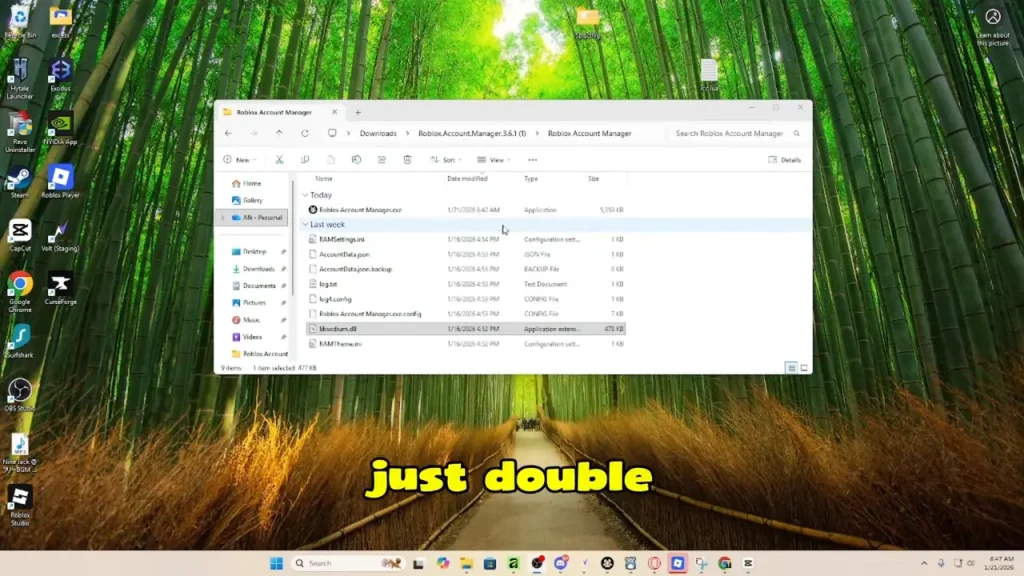
- Open your Downloads folder and locate the setup file.
- Right-click the file and select Run as Administrator to begin installation.
- Follow the on-screen instructions and choose your preferred install directory.
- Once the installation completes, restart your computer if prompted.
- Launch the app from your desktop shortcut and start adding your accounts.
How to Use Roblox Account Manager?
Once installed, this tool makes handling multiple Roblox accounts simple and hassle-free. Here’s how you can start using it effectively:
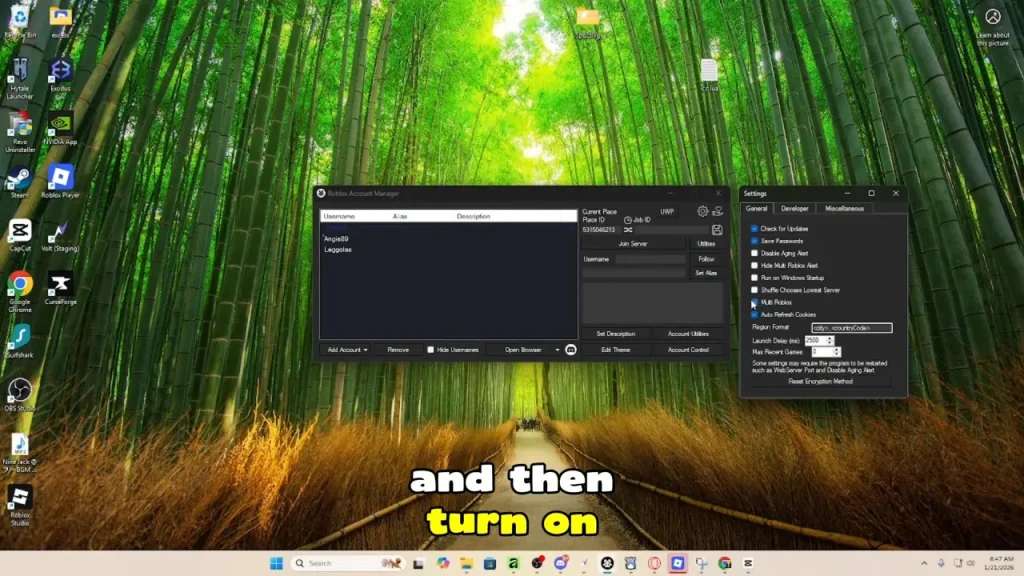
- Adding Accounts: Open the app and select the option to add a new account. Enter your login details once, and they’ll be securely saved for quick access later.
- Switching Between Accounts: From the main dashboard, click on any saved profile to instantly log in. No need to type passwords each time—just one click, and you’re ready.
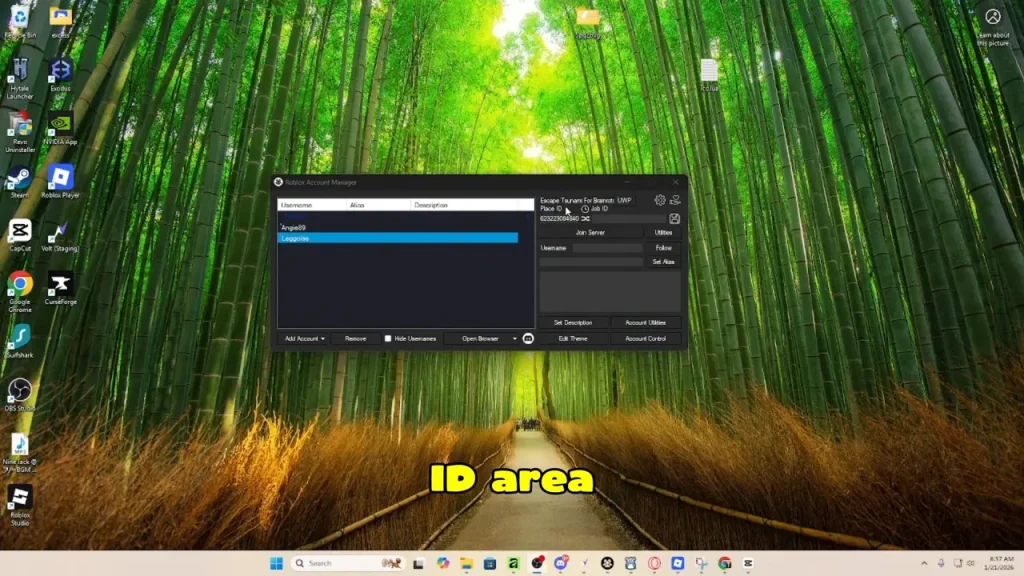
- Launching Games & Managing Credentials: Select an account and launch your chosen Roblox game directly through the tool. If you ever need to reset or update credentials, use the built-in utilities for a smooth update.
Common Issues & Troubleshooting
Even though this tool is reliable, some users may face minor issues while running it. Here are the most common problems along with quick fixes:
Account Sync Errors: In rare cases, accounts may not update properly. Refresh the tool or reinstall it to restore smooth performance.
Login Failures: If your account doesn’t log in, clear stored credentials and re-add the account. Make sure your internet connection is stable.
False Virus Detection: Some antivirus programs may flag the installer incorrectly. Simply whitelist the file in your security software to continue safely.
Performance Issues: If the app runs slowly, close unnecessary background tasks and ensure your PC meets the recommended system requirements.
Final Verdict
Roblox Account Manager makes handling multiple Roblox accounts simple, secure, and fast. It’s built for players who want smooth switching, safe storage, and easy access without the hassle of logging in repeatedly. With its reliable features and clean setup, it’s the go-to choice for anyone managing more than one account on Roblox.
System Tools:
Autoruns
Startup entry scanner
RAMMap
Memory Analysis
ParkControl
CPU Parking
Process Lasso
CPU Optimization
Wise Memory
RAM Optimizer
See More
Gaming & Media:
Razer Cortex
Game Booster
EasyBCD
Boot Management
HidHide
Controller Hiding
XOutput
Controller Emulator
DS4Windows
PlayStation Controller
See More
Internet & Network:
Neat Download Manager
Download Accelerator
Proton VPN
Secure Browsing
Psiphon VPN for PC
Secure Browsing
Iriun Webcam
Turn phone into webcam
Messenger for PC
Text messaging
See More
Productivity & Recovery:
AOMEI Backupper
Backup & Recovery
PowerToys
Productivity Tool
Cura Software
3D printer slicing software
Power BI Desktop
Data visualization
4Download Fl Studio
Music production software
See More