
7k
Downloads
18
Reviews
Latest Version
Version

EasyBCD Download Free for Windows (Latest Version)
Managing multiple operating systems on a single computer can become confusing, especially when boot settings are not configured correctly. A small mistake in the boot menu can prevent Windows from loading properly and make troubleshooting more difficult.
EasyBCD is a popular boot configuration utility designed to simplify the process of managing boot entries on Windows computers. It allows users to create, edit, repair, and customize the Windows bootloader without manually modifying complex system files. Whether you need to add another operating system, repair startup issues, or customize boot options, EasyBCD provides an easy-to-use solution.
What is EasyBCD?
EasyBCD is a lightweight Windows utility developed to manage the Boot Configuration Data (BCD) store. The BCD store contains information used by Windows Boot Manager to start operating systems installed on a computer.
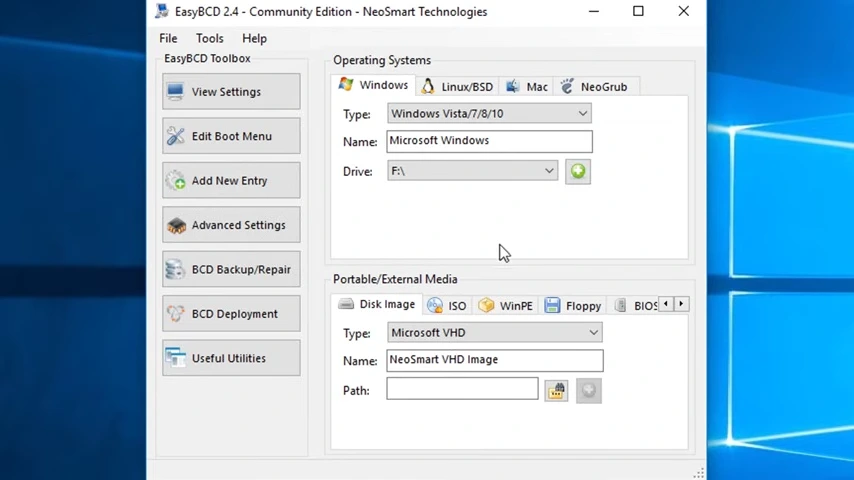
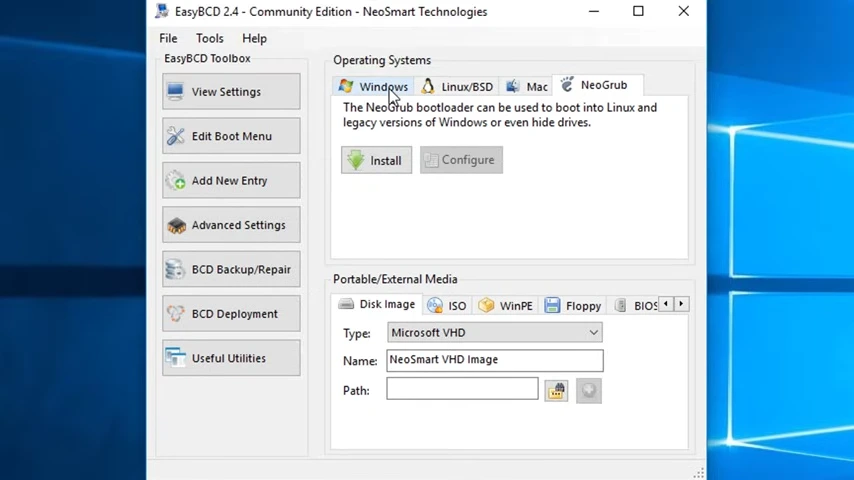
With EasyBCD, users can add multiple operating systems to the boot menu, repair damaged boot records, create bootable entries for recovery tools, and adjust startup settings through a graphical interface. It supports various operating systems, including Windows, Linux distributions, and older versions of Windows.
The software is widely used by IT professionals, system administrators, and advanced users who frequently work with dual-boot or multi-boot environments.
Key Features of EasyBCD
Simple Boot Menu Management
EasyBCD makes it easy to add, remove, rename, or reorder operating systems in the boot menu. You can organize startup entries without using command-line tools.
Create Dual-Boot and Multi-Boot Systems
Users can configure multiple operating systems on a single PC. This is useful for testing software, running different Windows versions, or using Linux alongside Windows.
Repair Boot Problems
If the Windows bootloader becomes corrupted, EasyBCD includes repair tools that can rebuild boot records and restore startup functionality. In cases where startup issues are related to disk partitions or drive errors, DiskGenius can help diagnose and manage storage-related problems.
Advanced BCD Configuration
Power users can access advanced boot settings and customize startup behavior without manually editing BCD files.
Support for Linux and Other Operating Systems
The software supports boot entries for popular Linux distributions and other operating systems, making multi-boot configuration much easier.
Backup and Restore Boot Settings
Before making changes, users can create backups of their current boot configuration and restore them if something goes wrong.
Portable Recovery Options
EasyBCD can create bootable recovery entries that help users access troubleshooting and repair tools when Windows fails to start normally.
System Requirements
Component | Requirement |
|---|---|
Operating System | Windows 11, Windows 10, Windows 8.1, Windows 8, Windows 7 |
Processor | Intel or AMD Processor |
RAM | 2 GB or higher |
Storage Space | 50 MB available space |
Permissions | Administrator privileges required |
Internet Connection | Required for updates and downloads |
How to Download and Install EasyBCD
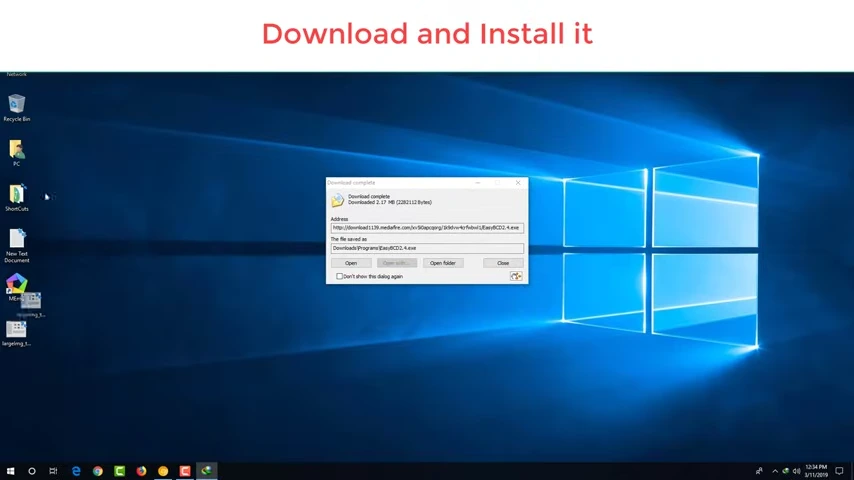
You can download the latest version of EasyBCD using the download button available on this page. Once the setup file is downloaded, follow these steps to install the software correctly:
- Click the download button provided above.
- Save the EasyBCD setup file to your computer.
- Locate the downloaded file in your Downloads folder.
- Double-click the installer to launch the setup wizard.
- Allow administrator permissions if prompted by Windows.
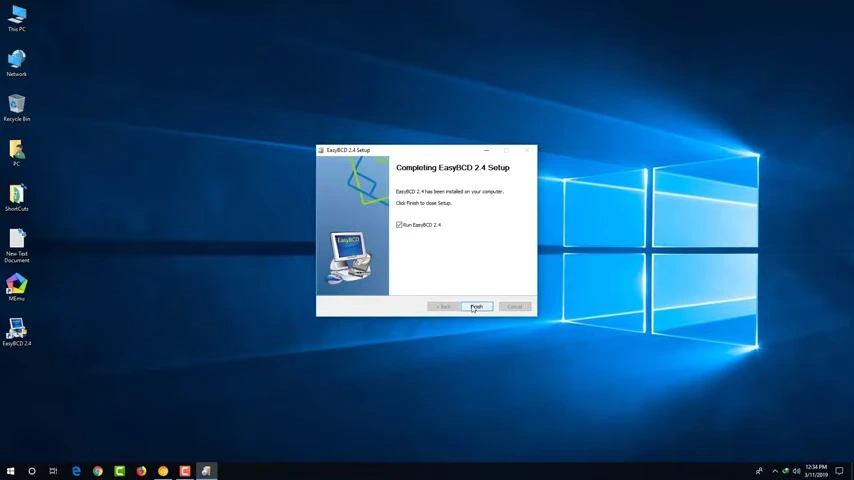
- Follow the installation instructions displayed on the screen.
- Choose the installation location if you want a custom setup.
- Complete the installation and launch EasyBCD from the desktop shortcut.
After installation, you can immediately begin managing boot entries and configuring startup options.
Pros and Cons
Pros
- Easy-to-use graphical interface
- Simplifies dual-boot and multi-boot setup
- Supports Windows and Linux boot entries
- Includes boot repair and recovery tools
- Allows backup and restoration of BCD settings
- Lightweight and fast performance
Cons
- Advanced features may be unnecessary for casual users
- Incorrect configuration changes can affect system startup
- Some functions require administrative access
Conclusion
EasyBCD remains one of the most practical tools for managing Windows boot configurations. Its user-friendly interface removes much of the complexity involved in creating dual-boot systems, repairing startup issues, and organizing boot entries. Instead of relying on command-line utilities, users can handle most tasks through a simple graphical environment.
For anyone who regularly works with multiple operating systems or needs a reliable way to manage Windows startup settings, EasyBCD offers a convenient and effective solution. The software combines flexibility, stability, and ease of use, making it a valuable utility for both home users and IT professionals.
System Tools:
SuperF4
Process Termination Tool
ExplorerPatcher
Windows Customization Tool
WinUtil
Windows Tweaking Tool
Quick CPU
CPU Optimization Tool
Winaero Tweaker
Windows Tweaking Tool
See More
Gaming & Media:
EasyBCD
Boot Management
HidHide
Controller Hiding
XOutput
Controller Emulator
DS4Windows
PlayStation Controller
Mod Organizer 2
Game Modding Tool
See More
Internet & Network:
Neat Download Manager
Download Accelerator
Proton VPN
Secure Browsing
Psiphon VPN for PC
Secure Browsing
Iriun Webcam
Turn phone into webcam
Messenger for PC
Text messaging
See More
Productivity & Recovery:
AOMEI Backupper
Backup & Recovery
PowerToys
Productivity Tool
Cura Software
3D printer slicing software
Power BI Desktop
Data visualization
4Download Fl Studio
Music production software
See More