

3k
Downloads
100
Reviews
Latest Version
Version

HidHide Download Free for Windows (Latest Version)
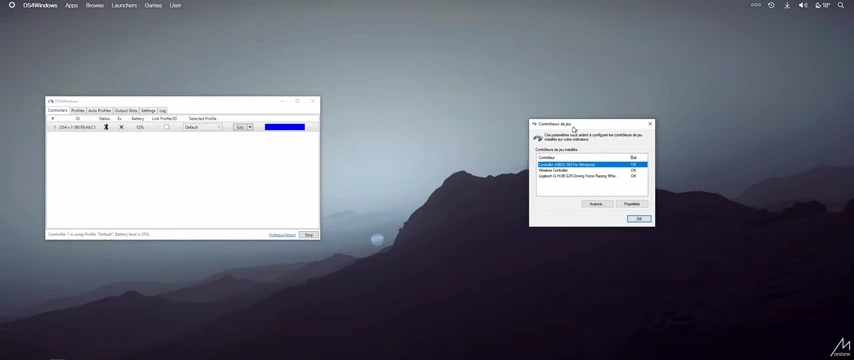
Using multiple controller-related tools on a Windows PC can sometimes create unexpected problems. Applications such as DS4Windows, reWASD, XOutput, and other controller mappers often generate virtual controllers to improve game compatibility. However, many games end up detecting both the physical controller and the virtual one at the same time, which can cause double inputs, incorrect button responses, or controller conflicts.
HidHide is designed to solve this issue. It allows users to hide selected physical controllers from games and applications while still allowing controller mapping software to access them. This helps create a cleaner setup and prevents many common controller-related problems. If you use virtual controller software regularly, HidHide can become an important part of your gaming configuration.

What is HidHide?
HidHide is a lightweight Windows utility developed to manage how Human Interface Devices (HID) are detected by applications. Its primary purpose is to hide specific physical controllers from games while allowing authorized software to continue using them.
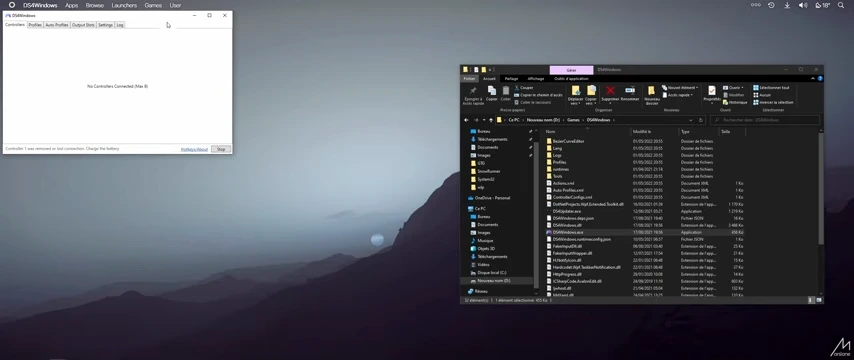
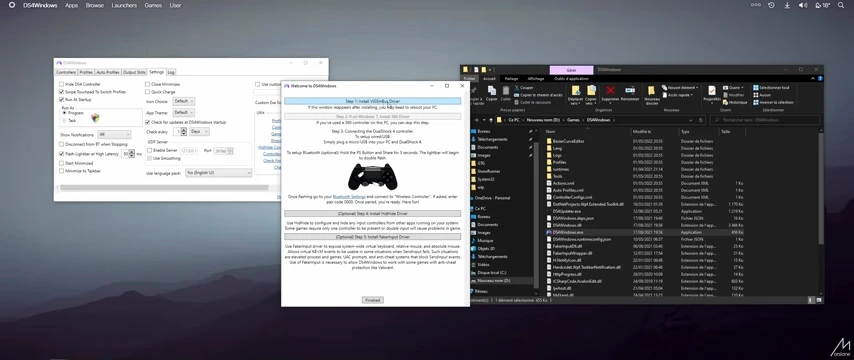
The software is commonly used alongside tools such as DS4Windows, ViGEmBus, XOutput, reWASD, and DualSense controller utilities. By hiding the original controller, games only see the virtual Xbox controller created by these applications. This eliminates duplicate inputs and improves compatibility with many PC games.
HidHide works at the system level and provides a simple interface for selecting which devices should be hidden and which applications are allowed to access them.
Key Features
Hide Physical Controllers from Games
The main feature of HidHide is its ability to hide selected controllers from Windows applications. This prevents games from detecting the original controller and reduces input conflicts.
Application Whitelisting
You can create a list of trusted applications that are allowed to access hidden devices. Controller mapping software can still communicate with the controller while games remain blocked from seeing it.
Works with Popular Controller Tools
HidHide integrates well with software such as:
Compatible Software | Purpose |
|---|---|
DS4Windows | PlayStation controller mapping |
XOutput | DirectInput to XInput conversion |
Controller remapping and customization | |
ViGEmBus | Virtual gamepad creation |
DualSense Tools | Enhanced PlayStation controller support |
Simple Device Management
The software displays connected HID devices and lets users choose which controllers should be hidden with only a few clicks.
Lightweight Performance
HidHide runs efficiently without consuming noticeable system resources. It works quietly in the background once configured.
Improved Gaming Compatibility
Many PC games are designed primarily for Xbox controllers. HidHide helps ensure that games only detect the intended virtual controller, reducing compatibility issues.
Secure Driver-Based Solution
Unlike temporary software workarounds, HidHide uses a driver-based approach that provides stable and reliable controller management.
System Requirements
Component | Requirement |
|---|---|
Operating System | Windows 10 or Windows 11 |
Processor | Intel or AMD Processor |
RAM | 2 GB or higher |
Storage Space | Less than 100 MB |
Additional Software | Controller mapping software (optional) |
Administrator Rights | Required for installation |
How to Download and Install HidHide
You can download the latest version of HidHide using the download button available on this page. After downloading the setup file, follow these steps to install and configure the software.
- Click the download button provided above.
- Save the installer file to your computer.
- Locate the downloaded setup file.
- Right-click the installer and choose Run as Administrator.
- Follow the installation wizard instructions.
- Restart your computer if prompted.
- Open HidHide from the Start Menu.
- Select the controllers you want to hide and configure application access as needed.
Once configured, HidHide will automatically manage controller visibility according to your settings.
Pros and Cons
Pros
- Prevents duplicate controller inputs
- Works with most controller mapping tools
- Lightweight and resource-friendly
- Easy to configure after installation
- Supports modern Windows versions
- Improves game compatibility
- Reliable driver-level functionality
Cons
- Requires administrator privileges
- Initial setup may be confusing for new users
- Mainly useful for advanced controller configurations
- Incorrect settings can temporarily hide devices unexpectedly
Conclusion
HidHide is a practical utility for gamers who use controller mapping software and want to eliminate duplicate input problems. Its ability to hide physical controllers while allowing trusted applications to access them makes it an effective solution for improving controller compatibility on Windows PCs.
For users running DS4Windows, XOutput, reWASD, or similar tools, HidHide can help create a cleaner and more reliable gaming experience. The software is lightweight, easy to maintain, and solves a problem that many controller users encounter when playing modern PC games.
System Tools:
SuperF4
Process Termination Tool
ExplorerPatcher
Windows Customization Tool
WinUtil
Windows Tweaking Tool
Quick CPU
CPU Optimization Tool
Winaero Tweaker
Windows Tweaking Tool
See More
Gaming & Media:
HidHide
Controller Hiding
XOutput
Controller Emulator
DS4Windows
PlayStation Controller
Mod Organizer 2
Game Modding Tool
Borderless Gaming
Borderless Window Gaming Utility
See More
Internet & Network:
Neat Download Manager
Download Accelerator
Proton VPN
Secure Browsing
Psiphon VPN for PC
Secure Browsing
Iriun Webcam
Turn phone into webcam
Messenger for PC
Text messaging
See More
Productivity & Recovery:
PowerToys
Productivity Tool
Cura Software
3D printer slicing software
Power BI Desktop
Data visualization
4Download Fl Studio
Music production software
Anyunlock
iPhone unlock tool
See More