

250
Downloads
18
Reviews
Latest Version
Version

HWiNFO Download for Windows PC
If you’re trying to find out why your computer is running hot, slowing down during heavy workloads, or behaving unexpectedly, you need more than the basic information Windows provides. HWiNFO gives you a detailed look at your PC hardware while monitoring important system sensors in real time.
The software is trusted by PC enthusiasts, gamers, technicians, and system builders because it delivers accurate hardware information without unnecessary complexity. From checking CPU temperatures to verifying RAM specifications, HWiNFO makes it easy to understand what’s happening inside your computer.
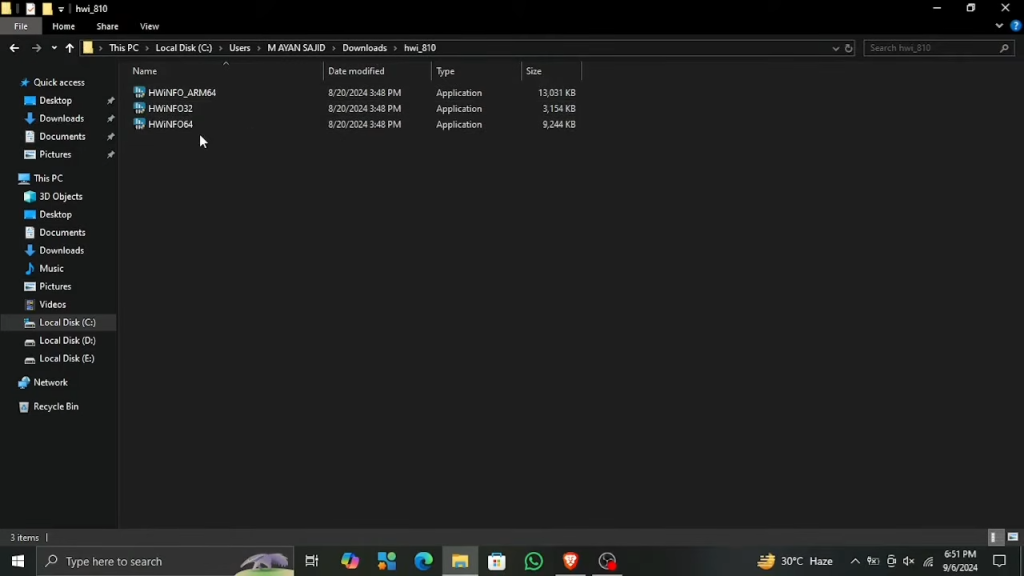
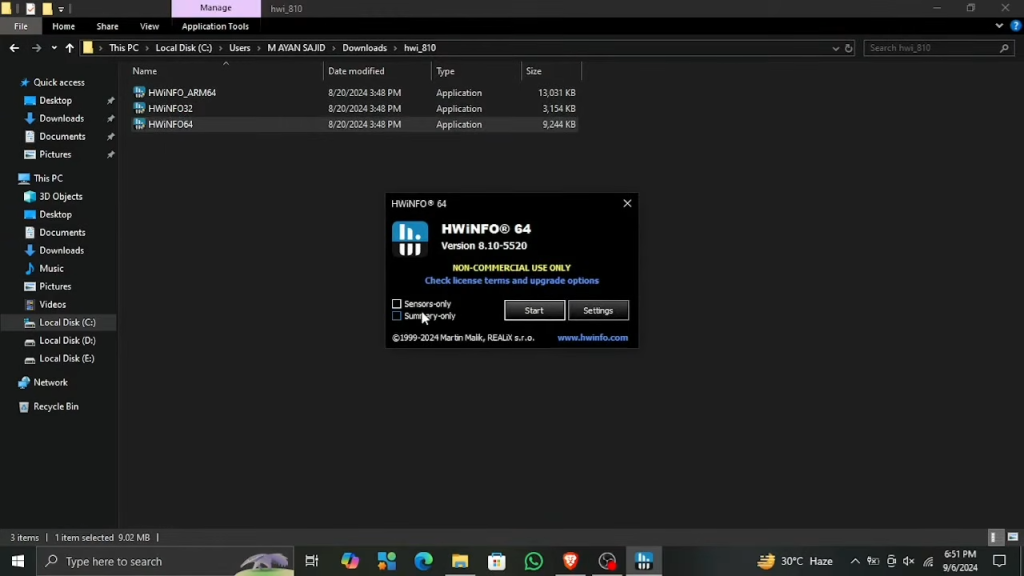
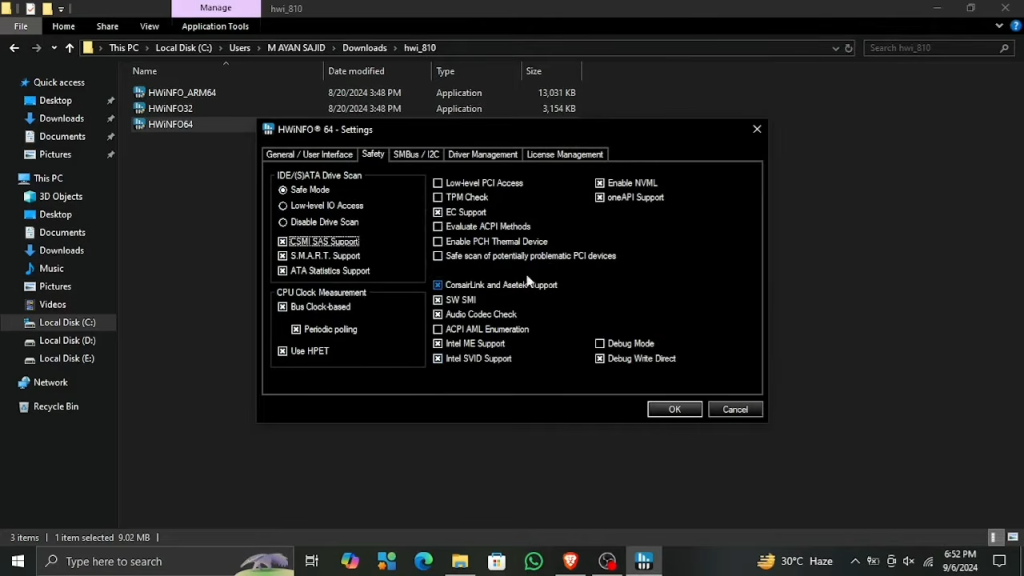
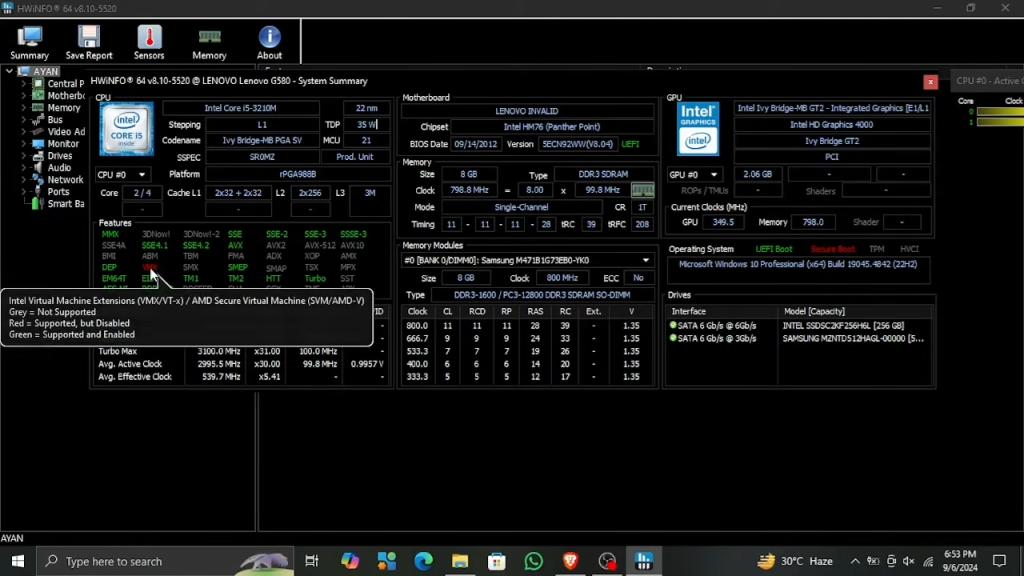
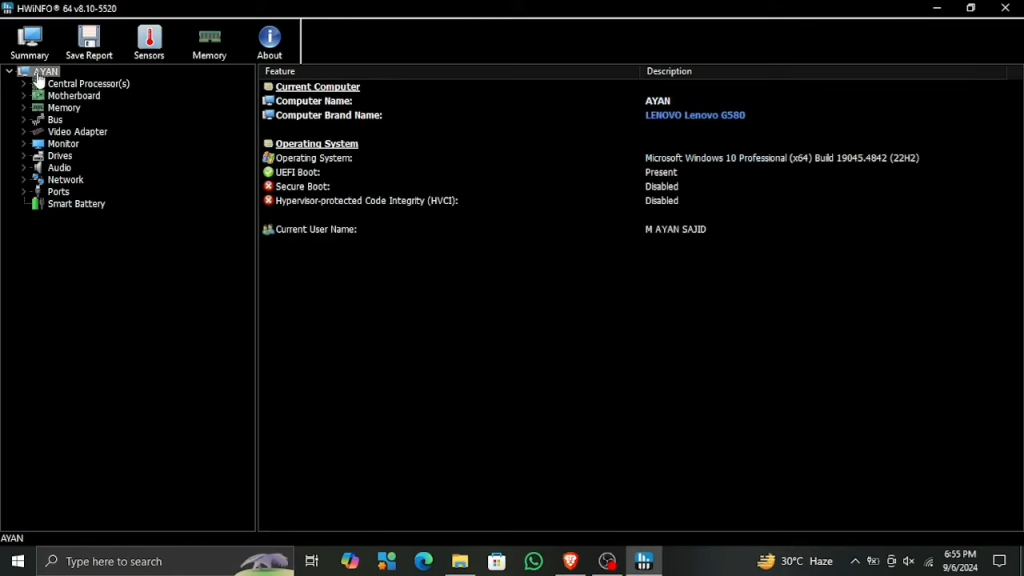
What is HWiNFO?
HWiNFO is a free hardware information, diagnostics, and system monitoring utility for Windows. It scans your computer and displays complete details about your processor, graphics card, motherboard, memory, storage drives, BIOS, battery, network adapters, and other connected devices.
In addition to hardware detection, HWiNFO provides live sensor monitoring for temperatures, voltages, fan speeds, clock frequencies, and power consumption. This helps users monitor system health, troubleshoot hardware issues, and confirm that components are performing as expected.
The software supports both modern and older hardware platforms and is updated regularly to recognize the latest Intel, AMD, and NVIDIA products.
Key Features of HWiNFO
Comprehensive Hardware Detection
HWiNFO performs a full hardware scan and displays detailed specifications for every major component installed in your PC. It provides information that isn’t available through the standard Windows System Information tool.
For processor identification and hardware verification, CPU-Z is another useful utility that complements HWiNFO.
Real-Time Sensor Monitoring
The built-in Sensors window tracks your system while it’s running and updates readings continuously.
It can monitor:
- CPU temperature
- GPU temperature
- Motherboard temperature
- SSD and HDD temperatures
- Fan speeds
- CPU voltage
- GPU power usage
- Clock speeds
These live readings are especially useful during gaming, benchmarking, video editing, and other demanding tasks.
Advanced CPU Information
The processor section includes detailed specifications such as architecture, manufacturing process, core count, thread count, cache sizes, supported instruction sets, base frequency, boost clock, and current operating speed.
GPU Performance Monitoring
HWiNFO supports graphics cards from NVIDIA, AMD, and Intel. It displays real-time information including GPU utilization, VRAM usage, memory clocks, core frequency, temperatures, power consumption, and cooling fan speed.
Memory Information
View complete RAM details including module capacity, operating frequency, timings, SPD information, manufacturer details, and XMP profiles.
Storage Health Monitoring
The software reads SMART data from supported storage devices, allowing users to monitor drive health before serious problems occur.
Storage Feature | Benefit |
|---|---|
SMART Status | Detect possible drive issues |
Temperature Monitoring | Prevent overheating |
Firmware Information | Verify installed firmware |
Capacity Details | View drive specifications |
Read and Write Activity | Monitor disk performance |
Sensor Logging
HWiNFO allows you to record sensor values over time. These logs help diagnose overheating, unexpected shutdowns, thermal throttling, and unstable hardware.
Customizable Monitoring Window
The Sensors window can be customized by hiding unnecessary entries, changing layouts, and organizing values that matter most to you.
Detailed Hardware Reports
Generate complete system reports that can be shared with technical support or saved for future reference when upgrading hardware.
Frequent Hardware Database Updates
HWiNFO receives regular updates to support newly released processors, graphics cards, motherboards, and storage devices.
System Requirements
Component | Requirement |
|---|---|
Operating System | Windows 11, Windows 10, Windows 8.1, Windows 7 |
Processor | Intel or AMD Processor |
RAM | 2 GB minimum |
Storage | Around 50 MB free disk space |
Internet Connection | Required for downloading updates |
How to Download and Install HWiNFO
Use the download button available on this page to get the latest version of HWiNFO. After downloading the setup file, follow these installation steps.
- Click the Download button on this page.
- Save the installer to your computer.
- Open the downloaded setup file.
- Accept the license agreement.
- Choose the installation folder if you want to change it.
- Complete the installation process.
- Launch HWiNFO after installation.
- Select Summary, Sensors, or Full System Information to start scanning your hardware.
Pros and Cons
Pros | Cons |
|---|---|
Free for personal use | Interface may feel technical for first-time users |
Accurate hardware detection | Large amount of information can be overwhelming |
Excellent real-time monitoring | No built-in benchmarking feature |
Supports modern and legacy hardware | Some advanced options require basic technical knowledge |
Frequent software updates | Reports can be lengthy on complex systems |
Conclusion
HWiNFO is one of the most capable hardware information and monitoring tools available for Windows. It provides detailed component specifications, accurate real-time sensor monitoring, and valuable diagnostic information that helps users keep their systems running efficiently.
If you want to monitor temperatures, verify hardware specifications, troubleshoot performance issues, or simply learn more about your computer, HWiNFO is an excellent utility to have installed. Its reliable hardware detection, regular updates, and comprehensive monitoring features make it a trusted choice for both everyday users and PC enthusiasts.
System Tools:
HWiNFO
Hardware Monitoring
CPU-Z
CPU Details
LatencyMon
System Latency Monitoring
Autoruns
Startup entry scanner
RAMMap
Memory Analysis
See More
Gaming & Media:
Razer Cortex
Game Booster
EasyBCD
Boot Management
HidHide
Controller Hiding
XOutput
Controller Emulator
DS4Windows
PlayStation Controller
See More
Internet & Network:
TCP Optimizer
Internet Optimization
Neat Download Manager
Download Accelerator
Proton VPN
Secure Browsing
Psiphon VPN for PC
Secure Browsing
Iriun Webcam
Turn phone into webcam
See More
Productivity & Recovery:
AOMEI Backupper
Backup & Recovery
PowerToys
Productivity Tool
Cura Software
3D printer slicing software
Power BI Desktop
Data visualization
4Download Fl Studio
Music production software
See More