

108k
Downloads
800
Reviews
8.7.0.8
Version

Stellar Repair for Photo Download for Windows
Want to bring your photos back in better form? Start with our free download. This simple and reliable tool includes a safe trial version that lets you repair and preview photos before deciding to buy.
Damaged and glitched photos can ruin your important memories or other work. That’s why Stellar Repair for Photo is here to help. It is a trusted tool that quickly fixes blurry, distorted, or unreadable images in just a few clicks.
Whether you are a pro or just fixing photos at home, this powerful tool has got you covered. Stellar image repair works with formats like JPEG, HEIC, and RAW, which let users fix everything from minor glitches to severe file damage. It stands out as one of the best photo repair tools for Windows.
This guide will walk you through how to download Stellar Repair for Photo for Windows and use it effectively. You will also know real user feedback, feature breakdowns, and other differences, which help you to make the decision whether this tool is good for you or not.
What Is Stellar Repair for Photo
If we talk about this amazing tool, its main function is to repair or fix glitched images and unreadable files. Whether your JPEGs give errors, RAW files do not open, or entire image folders have become damaged, this software is here to give the proper solution.
It’s not just about repairing visuals, but you can also get back quality, sharpness, and proper structure of the file. Unlike basic recovery tools, this one repairs broken images and restores key visual data.
Stellar Repair for Photo is especially designed for photographers, designers, and everyday users. It’s lightweight, powerful, and easy to use on any Windows PC.
Why It’s the Best Photo Repair Software?
- It can work with famous formats like JPEG, PNG, TIFF, PSD, and RAW
- Repairs damaged headers, wrong file structure, and unreadable thumbnails.
- Perfect for the DSLR camera images from Canon, Nikon, Sony, and others.
- You can easily repair various images in a single batch mode.
- Delivers preview access before saving any file
- Manage hard corrupt images by using the Stellar Advanced Repair feature.
Every function makes Stellar Repair for Photo a complete solution for fixing image corruption. Whether from editing, file transfer errors, or camera card failures.
How to Download Stellar Repair for Photo for Windows?
You don’t have to search around for a clean, original setup because you can download it directly from our site. It’s a well-built, high-performance tool focused on doing one job and doing it well.
The installer is safe, virus-free, and officially verified. The free version gives you full access to its repair features, including the ability to preview fixed images before saving them.
Download & Installation Guide
Use this quick guide to install Stellar Repair for Photo on your Windows PC:
Step 1 – Download the Installer
Tap on the download button above. The .exe setup file will begin downloading immediately to your default folder.
Step 2 – Launch the Installer
When the file gets downloaded, double-click on it to begin setup. If a window notifies you for permission, then click Yes.
Step 3 – Begin Installation
The installation wizard will open. Just follow the simple steps:
- Accept the License Agreement
- Choose your install location (the default is usually fine)
- Click Install to proceed
Step 4 – Complete Setup
The installation process takes a few seconds. When it is completed, click Finish to launch the software.
Step 5 – Start Repairing
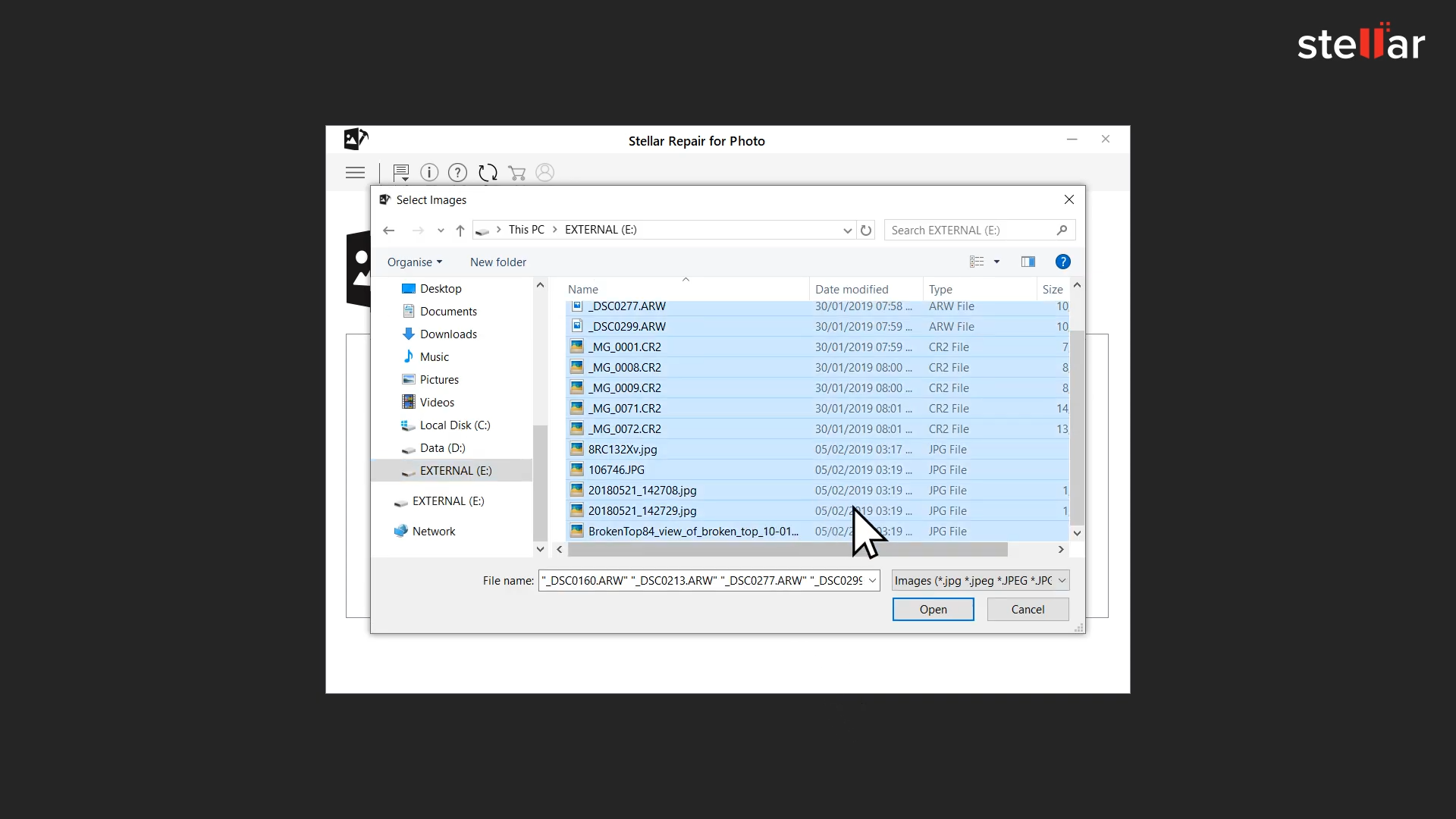
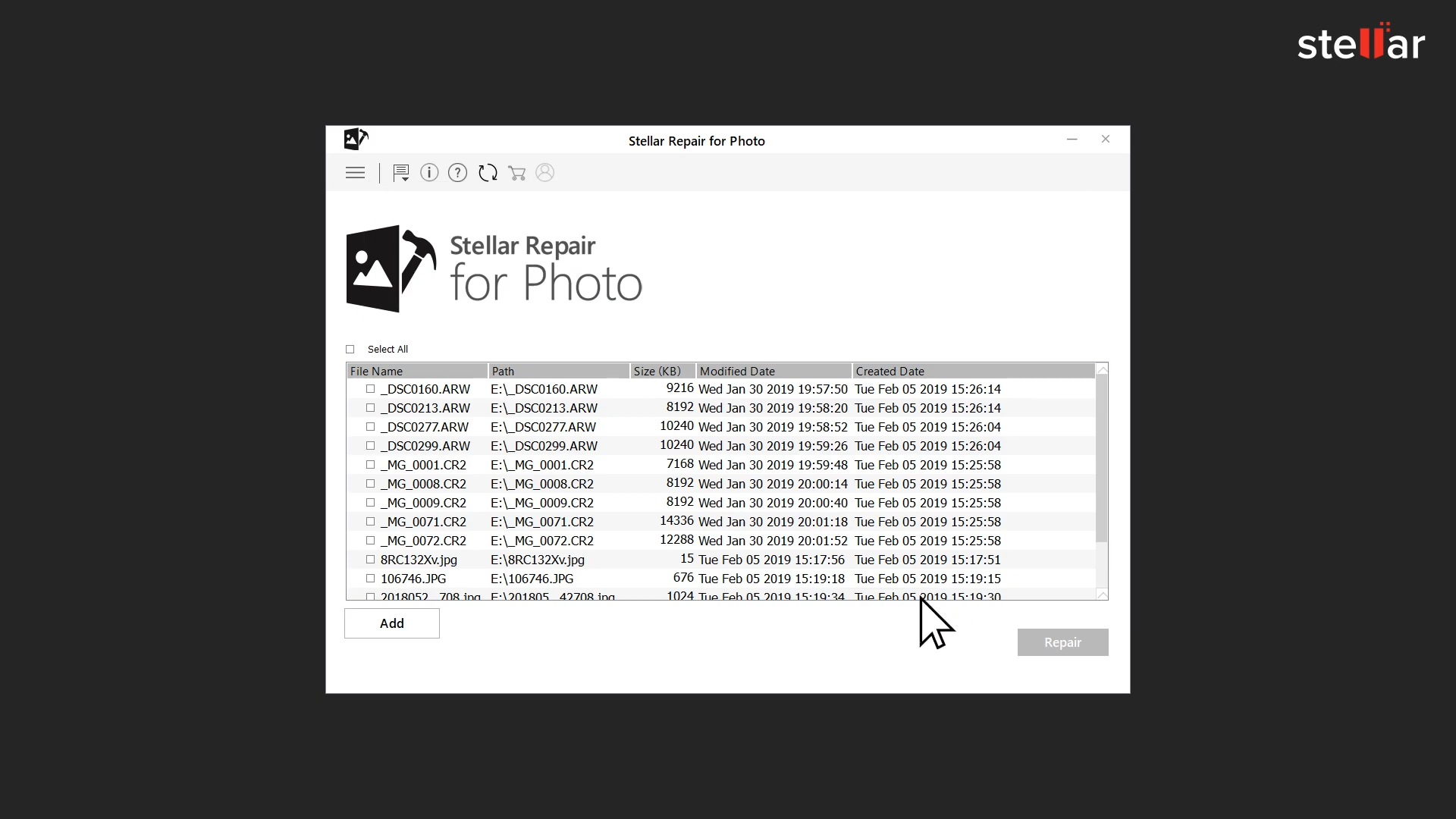
Open Stellar Repair for Photo, tap on Add File, and upload your images you want to fix. Here you will see an easy interface that guides you through every step.
Below are the minimum system requirements for the software to run smoothly on a Windows machine:
Component | Minimum Requirement |
|---|---|
Operating System | Windows 7, 8, 8.1, 10, 11 |
Processor | Dual-core 2 GHz or higher |
RAM | 4 GB (8 GB recommended) |
Disk Space | 250 MB for installation |
File Formats | JPEG, TIFF, PNG, RAW, PSD, PDF, more |
How to Use Stellar Repair for Photo
Using the software is straightforward and intuitive.
- Open the program and click Add File to select damaged images
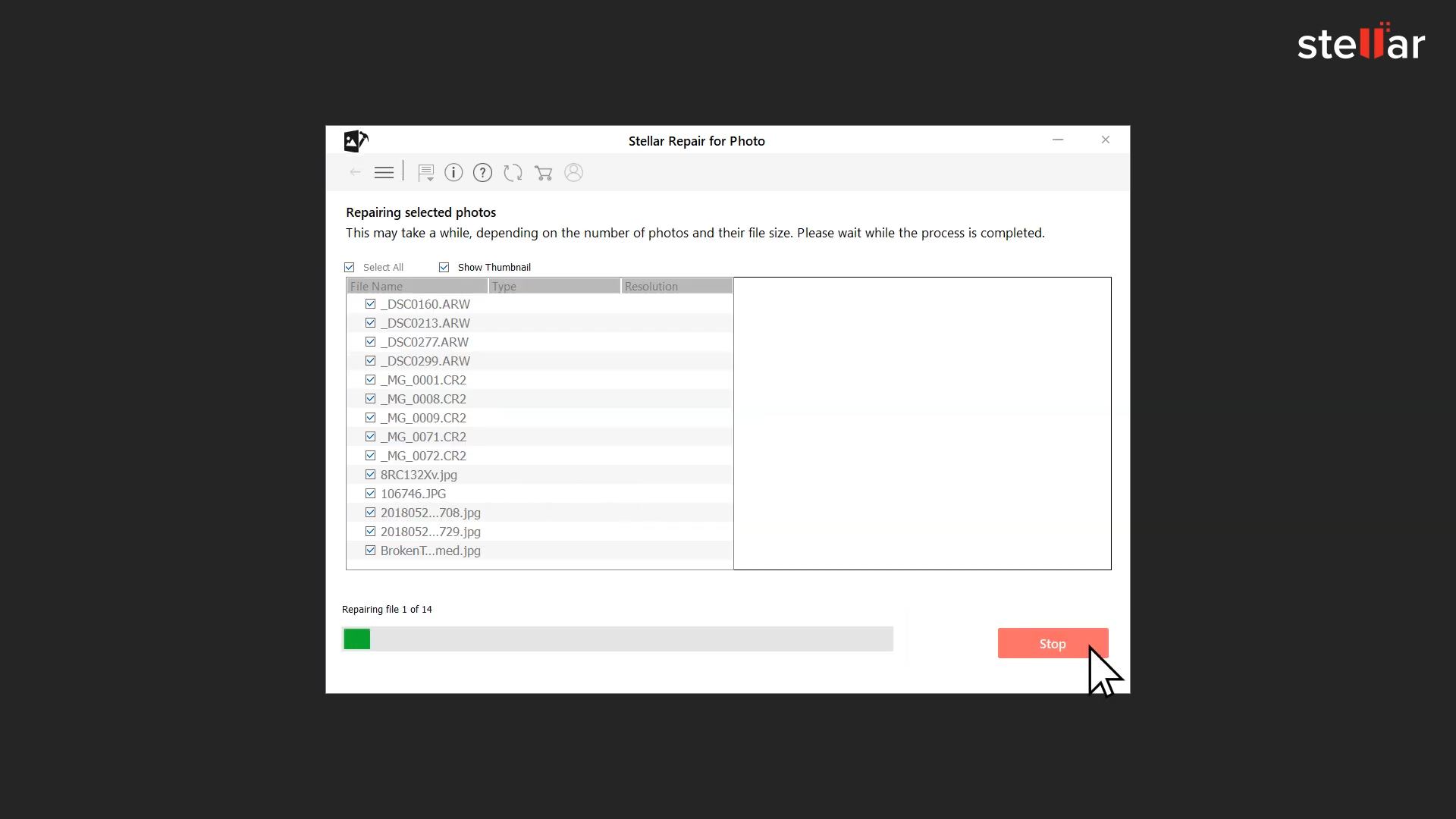
- Start the repair process by hitting Repair
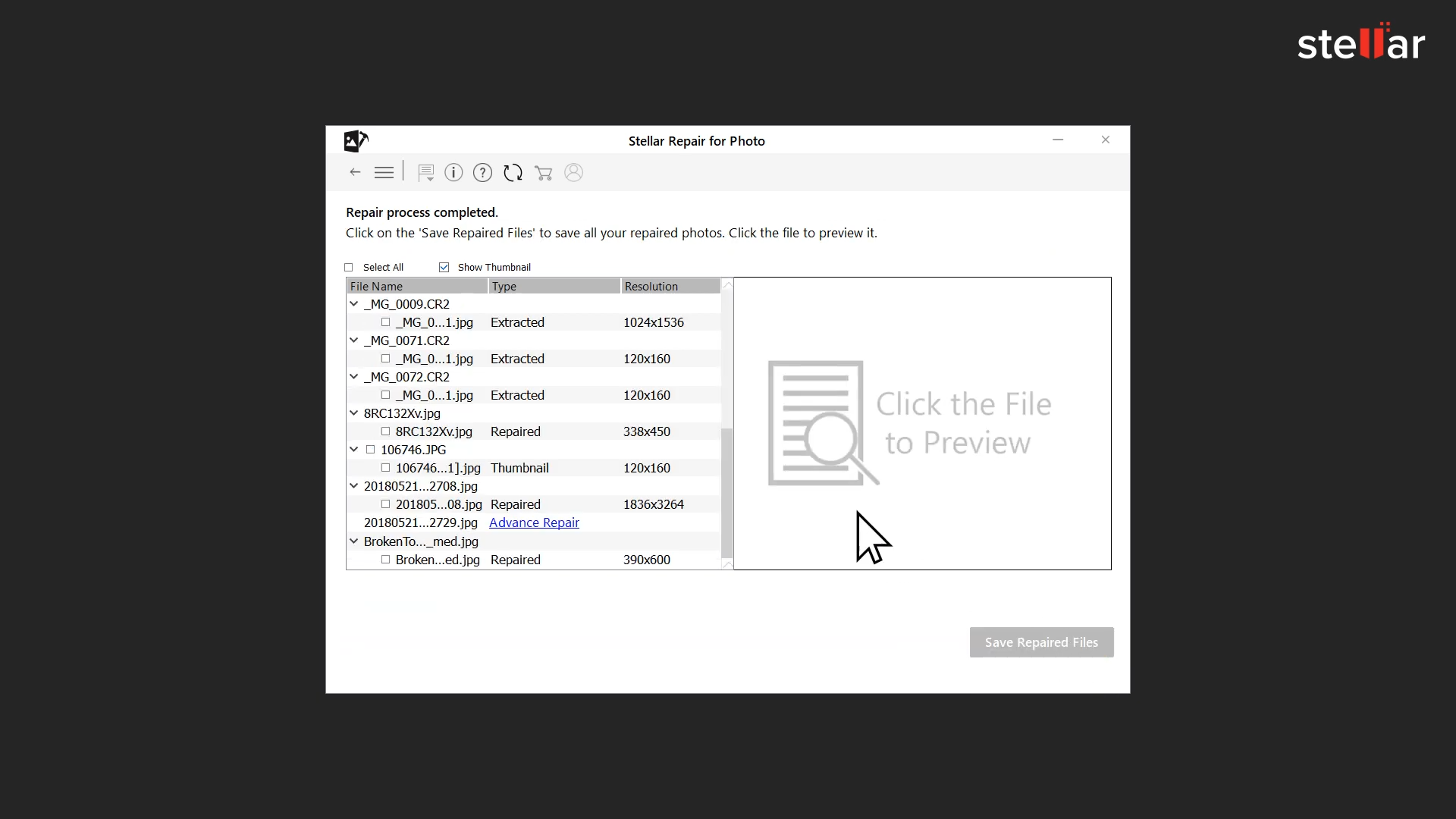
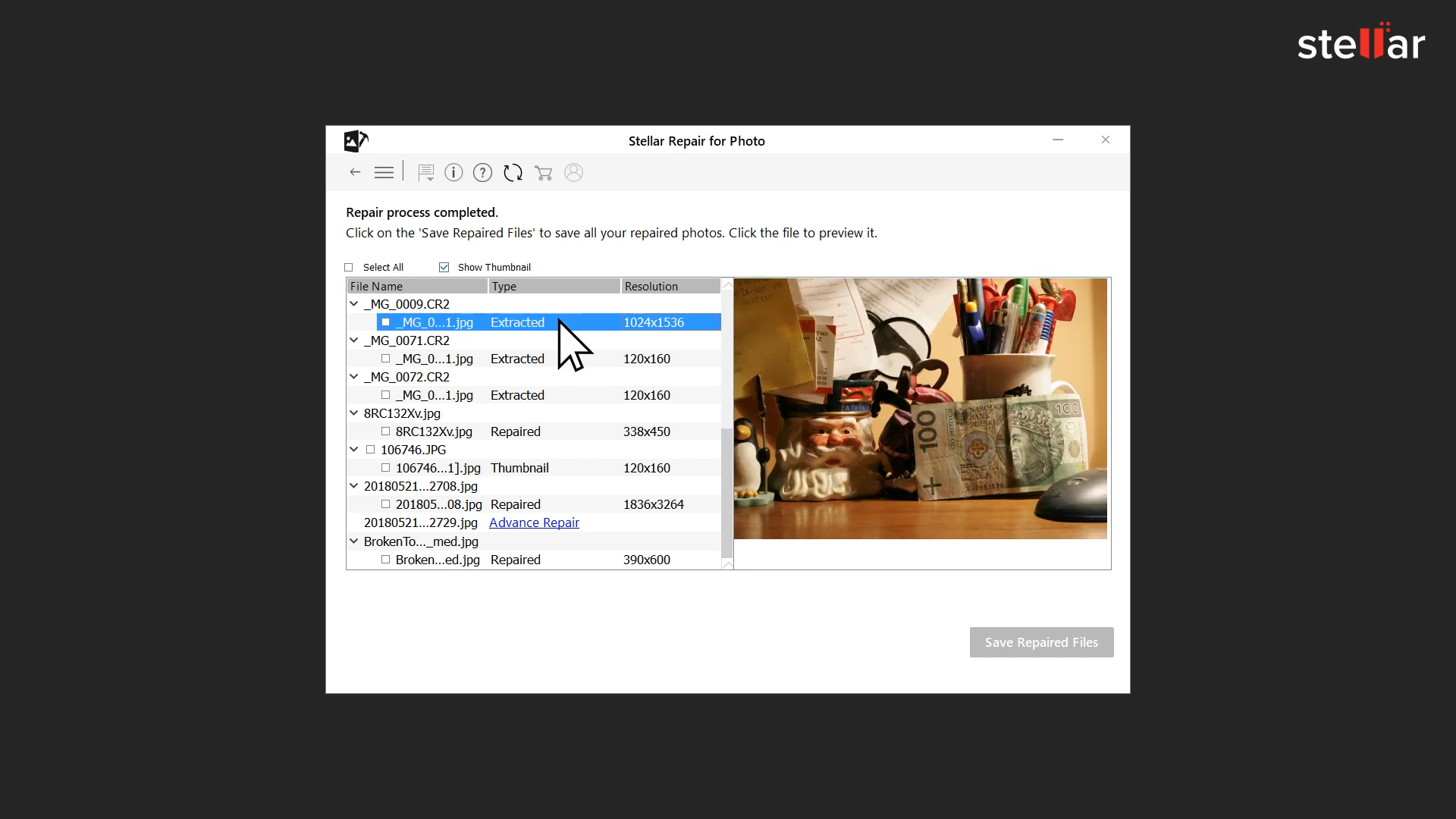
- After scanning, preview each restored photo
- Choose a folder and save all repaired images locally
Everything happens on-screen, without confusing menus or settings.
If an image is too damaged for a normal repair, the Advanced Repair option will show up. It uses a sample photo from the same device to smartly rebuild the missing parts and details.
Features
This tool supports popular formats like JPEG, PNG, TIFF, and PSD, and camera-specific RAW formats like CR2, NEF, and RAW.
- Fix many broken photos at the same time. Ideal for anyone with a big photo collection.
- Check the repaired photos before saving. It helps you feel sure the tool is working properly.
- All tools are easy to find, with clear buttons and guided flows. Even beginners can repair images confidently.
- Handles extreme damage with smart file reconstruction. No tech skills needed.
Comparing with Other Tools
Other tools may only fix a little and don’t support RAW files or advanced repair. Most don’t show a preview, so you won’t know if it worked until the end.
Stellar Repair for Photo stands out with:
- Full RAW support across brands
- One-click repair for multiple files
- Transparent results with full previews
- Proven results trusted by professional editors and studios
There’s no steep learning curve. No wasted time. Just quick, clean repairs that deliver results.
Final Verdict
Stellar Repair for Photo is a reliable and secure solution for restoring corrupted or glitched images on Windows. It has a lot of amazing features, broad format support, and advanced repairing tools with a clean interface. You can get everything you need to fix corrupted photos quickly and with confidence. Whether you’re restoring family pictures or important work files, this reliable tool makes the job fast, easy, and stress-free.
System Tools:
SuperF4
Process Termination Tool
ExplorerPatcher
Windows Customization Tool
WinUtil
Windows Tweaking Tool
Quick CPU
CPU Optimization Tool
Winaero Tweaker
Windows Tweaking Tool
See More
Gaming & Media:
HidHide
Controller Hiding
XOutput
Controller Emulator
DS4Windows
PlayStation Controller
Mod Organizer 2
Game Modding Tool
Borderless Gaming
Borderless Window Gaming Utility
See More
Internet & Network:
Neat Download Manager
Download Accelerator
Proton VPN
Secure Browsing
Psiphon VPN for PC
Secure Browsing
Iriun Webcam
Turn phone into webcam
Messenger for PC
Text messaging
See More
Productivity & Recovery:
PowerToys
Productivity Tool
Cura Software
3D printer slicing software
Power BI Desktop
Data visualization
4Download Fl Studio
Music production software
Anyunlock
iPhone unlock tool
See More