

1k
Downloads
200
Reviews
Latest Version
Version

Wise Memory Optimizer Download for Windows
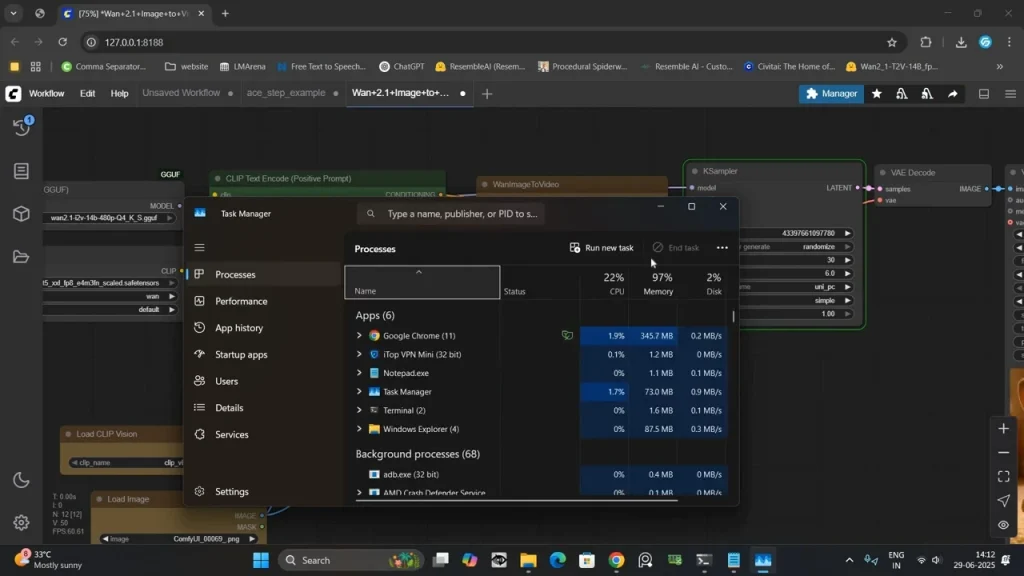
A slow PC is often caused by high memory usage, especially when several programs are running at the same time. You may notice longer loading times, delayed responses, or occasional freezing. While adding more RAM is the best long-term solution, optimizing the available memory can help improve system responsiveness.
Wise Memory Optimizer is a free utility that helps release unused RAM and gives Windows more available memory for active applications. It is lightweight, easy to use, and suitable for both older and newer computers. If you’re looking for a simple way to manage memory without changing advanced system settings, this tool is a good choice.
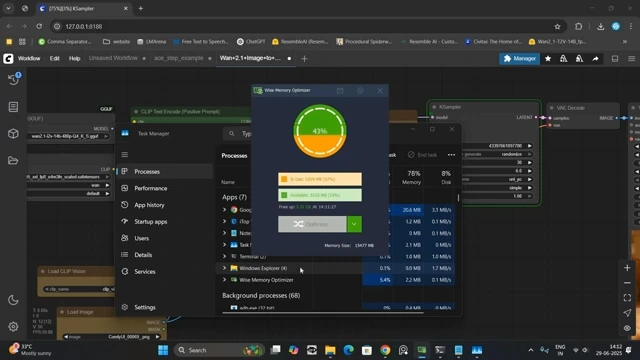
What is Wise Memory Optimizer?
Wise Memory Optimizer is a Windows memory management tool developed by WiseCleaner. It monitors your computer’s RAM usage and allows you to free unused physical memory with a single click.
The software runs quietly in the background and can automatically optimize memory whenever available RAM drops below a selected level. It supports both installed and portable versions, making it useful for users who want a small maintenance tool that doesn’t consume system resources.
Unlike many all-in-one PC optimization programs, Wise Memory Optimizer focuses only on memory management. Its clean interface and straightforward controls make it suitable for anyone who wants a quick solution for improving Windows performance.
Feature | Details |
|---|---|
Software Name | Wise Memory Optimizer |
Category | System Utility |
Developer | WiseCleaner |
License | Free |
Platform | |
Primary Function | RAM Optimization |
Key Features
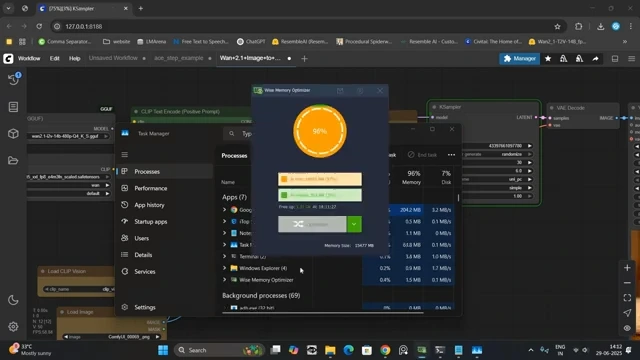
One-Click Memory Cleanup
The software scans your current RAM usage and releases unused memory with a single click. This can help improve responsiveness when your system feels sluggish. For additional system optimization, you may also find Quick CPU and WinUtil helpful for managing Windows performance and system settings.
Automatic Memory Optimization
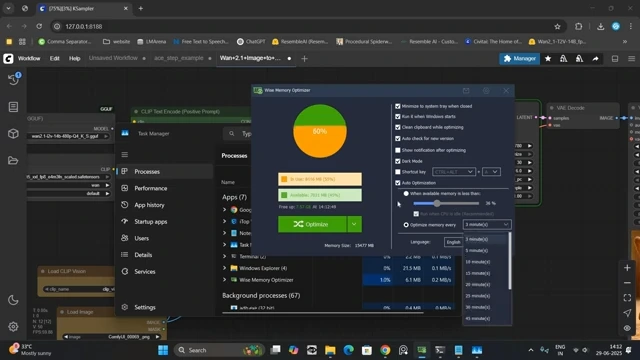
You can configure the software to optimize memory automatically whenever available RAM falls below a selected limit. This keeps your system running smoothly without manual intervention.
Real-Time RAM Monitoring
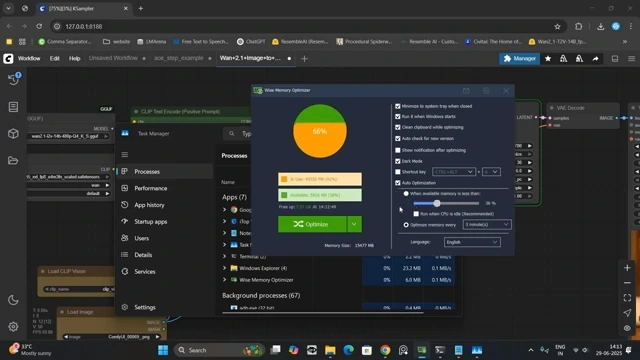
A built-in graph displays live memory usage, showing total, used, and available RAM. It helps you understand how your system resources are being used.
Low Resource Usage
Wise Memory Optimizer itself uses very little CPU and memory, allowing it to run in the background without affecting overall system performance.
Portable Version
A portable edition is available for users who don’t want to install additional software. You can run it directly from a USB drive whenever needed.
Simple Interface
The interface is clean and uncluttered. Important functions are easy to access, making the software suitable even for first-time users.
Custom Optimization Settings
Users can customize automatic optimization rules, choose memory thresholds, and configure startup behavior according to their preferences.
Compatible with Modern Windows
The software works smoothly on Windows 7, Windows 8, Windows 10, and Windows 11.
System Requirements
Component | Minimum Requirement |
|---|---|
Operating System | Windows 7, 8, 8.1, 10, 11 |
Processor | 1 GHz or Faster |
RAM | 512 MB Minimum |
Storage | 20 MB Free Space |
Internet | Optional for Updates |
How to Download and Install Wise Memory Optimizer
You can download the latest version using the download button available on this page. Once the setup file has been downloaded, follow these installation steps.
- Click the download button provided on this page.
- Save the installer to your computer.
- Open the downloaded setup file.
- Allow Windows permission if prompted.
- Follow the installation wizard and choose the installation folder.
- Complete the installation process.
- Launch Wise Memory Optimizer from the desktop or Start menu.
- Click the Optimize button to free unused RAM or enable Auto Optimize from the settings.
Pros and Cons
Pros
- Completely free to use.
- Very small installation size.
- Easy one-click optimization.
- Automatic RAM cleanup option.
- Real-time memory monitoring.
- Portable version available.
- Low system resource usage.
Cons
- Cannot increase physical RAM.
- Results vary depending on current memory usage.
- Limited to memory optimization only.
Conclusion
Wise Memory Optimizer is a reliable tool for users who want a quick and simple way to manage RAM usage on Windows. Its lightweight design, automatic optimization, and easy-to-use interface make it a practical utility for everyday use.
If your computer becomes slow after extended use or heavy multitasking, Wise Memory Optimizer can help recover unused memory and improve responsiveness. Download the latest version using the button on this page and install it in just a few minutes.
System Tools:
Process Lasso
CPU Optimization
Wise Memory
RAM Optimizer
SuperF4
Process Termination Tool
ExplorerPatcher
Windows Customization Tool
WinUtil
Windows Tweaking Tool
See More
Gaming & Media:
Razer Cortex
Game Booster
EasyBCD
Boot Management
HidHide
Controller Hiding
XOutput
Controller Emulator
DS4Windows
PlayStation Controller
See More
Internet & Network:
Neat Download Manager
Download Accelerator
Proton VPN
Secure Browsing
Psiphon VPN for PC
Secure Browsing
Iriun Webcam
Turn phone into webcam
Messenger for PC
Text messaging
See More
Productivity & Recovery:
AOMEI Backupper
Backup & Recovery
PowerToys
Productivity Tool
Cura Software
3D printer slicing software
Power BI Desktop
Data visualization
4Download Fl Studio
Music production software
See More