

2.8k
Downloads
78
Reviews
Latest Version
Version

Process Lasso Download for Windows
If your computer slows down when several programs are open, Process Lasso can help keep everything running smoothly. It is a lightweight Windows optimization tool that automatically manages CPU resources to improve system responsiveness. Instead of manually changing process priorities every time you launch an application, the software handles those tasks for you in the background.
Gamers, content creators, developers, and everyday users often rely on Process Lasso to reduce lag, prevent system slowdowns, and make multitasking more efficient. If you want to install the latest version, use the download button available on this page.
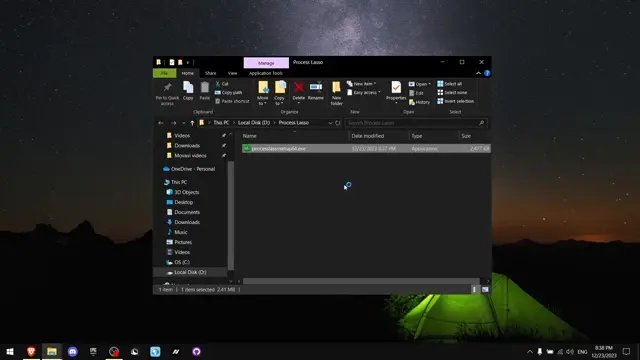
What is Process Lasso Download?
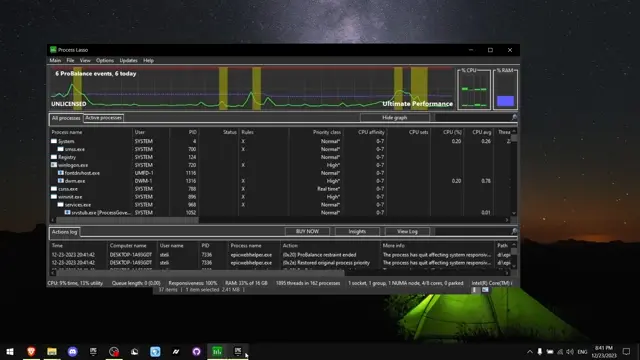
Process Lasso is a Windows process optimization utility developed by Bitsum. It continuously monitors running applications and intelligently adjusts their CPU priority to prevent a single program from making your entire computer unresponsive.
The software is best known for its ProBalance technology, which dynamically lowers the priority of resource-hungry background processes. This allows active applications to receive the CPU time they need, resulting in a smoother experience during gaming, video editing, programming, streaming, or everyday multitasking.
Besides CPU optimization, Process Lasso includes tools for CPU affinity management, power profile automation, process rules, startup optimization, and real-time performance monitoring. Although Windows already includes Task Manager, Process Lasso offers far more control and automation.
Key Features
ProBalance Technology
The signature ProBalance feature automatically adjusts CPU priorities whenever background applications begin consuming excessive processor time. This helps maintain system responsiveness without interrupting your work.
CPU Affinity Control
Assign specific processor cores to selected applications. This feature is useful for compatibility testing, older software, virtual machines, and advanced performance tuning. If you’re also updating graphics drivers before optimizing performance, consider using Display Driver Uninstaller (DDU) to completely remove old GPU drivers before installing new ones.
Persistent Process Priorities
Once you configure a process priority, Process Lasso remembers the setting and automatically applies it every time that application starts.
Performance Mode
Automatically switch Windows to a high-performance power plan whenever selected applications or games are running, then return to your normal plan afterward.
Process Automation Rules
Create custom rules for process priority, CPU affinity, I/O priority, memory priority, power profiles, and other performance settings without manual adjustments.
CPU Limiter
Prevent selected programs from monopolizing processor resources by creating automatic CPU usage limits.
Instance Balancer
Distribute multiple instances of the same application across available CPU cores for improved workload balancing.
Startup Optimization
Delay unnecessary startup applications to reduce boot time and improve overall Windows performance.
Real-Time Performance Monitoring
Monitor CPU usage, running processes, memory consumption, process priorities, and active rules from a detailed dashboard. If you use NZXT hardware, CAM for NZXT can monitor CPU temperatures, fan speeds, and hardware usage alongside Process Lasso.
Lightweight Background Operation
Process Lasso uses very little system memory and processor time while continuously optimizing Windows in the background.
System Requirements
Component | Requirement |
|---|---|
Operating System | Windows 7, 8, 8.1, 10, and Windows 11 |
Processor | Intel or AMD Processor |
RAM | 2 GB minimum (4 GB recommended) |
Storage | Around 30 MB free space |
Internet | Optional for updates |
How to Download and Install
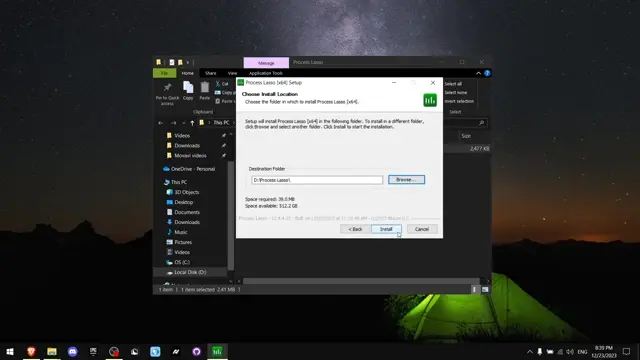
Downloading Process Lasso only takes a few minutes. Click the download button available on this page to get the latest setup file, then follow these steps.
- Click the Download button on this page.
- Save the installer to your computer.
- Locate the downloaded setup file.
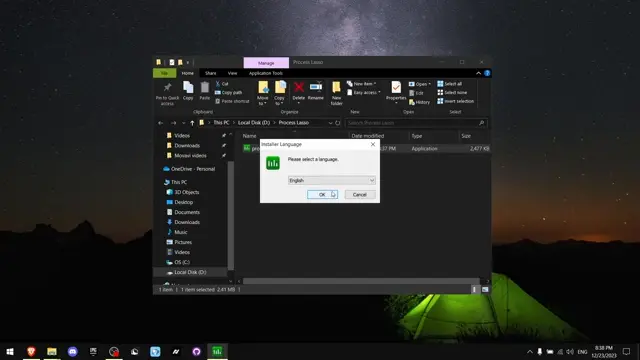
- Double-click the installer to begin installation.
- Allow administrator permission if Windows asks.
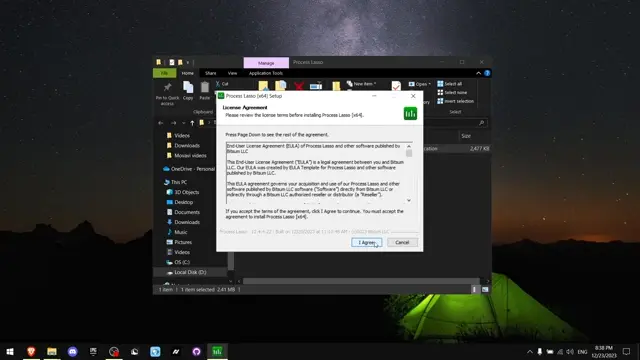
- Follow the installation wizard and finish the setup.
- Launch Process Lasso from the Start menu or desktop shortcut.
- Let the software run in the background and customize additional optimization rules if needed.
Pros and Cons
Pros
- Improves Windows responsiveness automatically.
- Excellent for multitasking and gaming.
- Powerful ProBalance CPU optimization.
- Easy-to-create automation rules.
- Lightweight with minimal resource usage.
- Supports advanced CPU affinity management.
- Free version includes many useful features.
Cons
- Some advanced features require the Pro edition.
- The number of configuration options may seem overwhelming for new users.
- Advanced CPU settings are mainly useful for experienced users.
Conclusion
Process Lasso is one of the most reliable Windows optimization tools for users who regularly multitask or run demanding applications. Its intelligent process management helps keep your computer responsive by automatically balancing CPU resources instead of requiring constant manual adjustments.
If your PC struggles during gaming, streaming, software development, video editing, or heavy workloads, Process Lasso is worth trying. Download the latest version using the button provided on this page, install it in a few minutes, and let it optimize your system automatically.
System Tools:
Process Lasso
CPU Optimization
Wise Memory
RAM Optimizer
SuperF4
Process Termination Tool
ExplorerPatcher
Windows Customization Tool
WinUtil
Windows Tweaking Tool
See More
Gaming & Media:
Razer Cortex
Game Booster
EasyBCD
Boot Management
HidHide
Controller Hiding
XOutput
Controller Emulator
DS4Windows
PlayStation Controller
See More
Internet & Network:
Neat Download Manager
Download Accelerator
Proton VPN
Secure Browsing
Psiphon VPN for PC
Secure Browsing
Iriun Webcam
Turn phone into webcam
Messenger for PC
Text messaging
See More
Productivity & Recovery:
AOMEI Backupper
Backup & Recovery
PowerToys
Productivity Tool
Cura Software
3D printer slicing software
Power BI Desktop
Data visualization
4Download Fl Studio
Music production software
See More