

3.1k
Downloads
10
Reviews
Latest Version
Version

RAMMap Download for Windows PC (Latest Version)
If you want to know how Windows is using your computer’s memory, RAMMap is one of the best tools available. It provides a detailed view of physical memory usage, making it easier to identify which files, drivers, processes, and system components are consuming RAM. Unlike the basic information shown in Task Manager, RAMMap breaks memory into categories that help you understand exactly what is happening behind the scenes.
Developed by Microsoft Sysinternals, RAMMap is especially useful when troubleshooting memory issues, investigating performance problems, or simply learning how Windows manages RAM. If you need a lightweight utility for memory analysis, this tool is worth having on your PC.
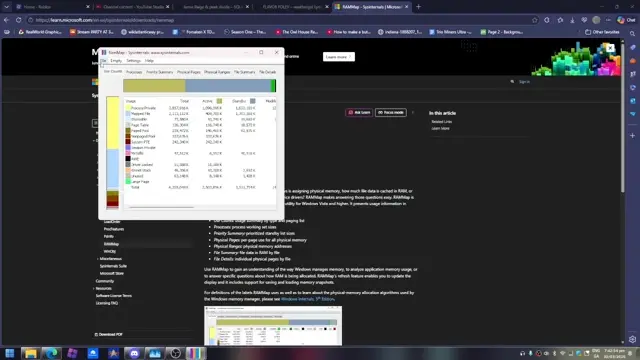
What is RAMMap?
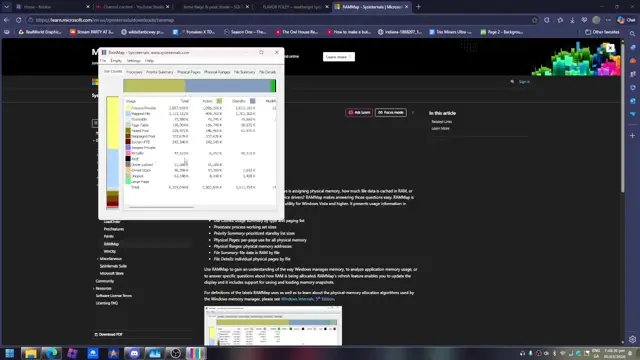
RAMMap is a free Windows memory analysis utility created by Microsoft as part of the Sysinternals Suite. It displays detailed information about physical memory allocation, showing how RAM is used by applications, drivers, the operating system, mapped files, and cached data.
The program organizes memory into different categories, allowing you to see active memory, standby memory, modified pages, file cache usage, and much more. It also includes refresh options so you can monitor changes while your system is running.
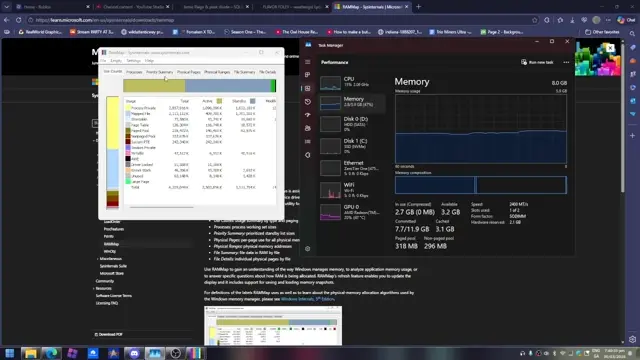
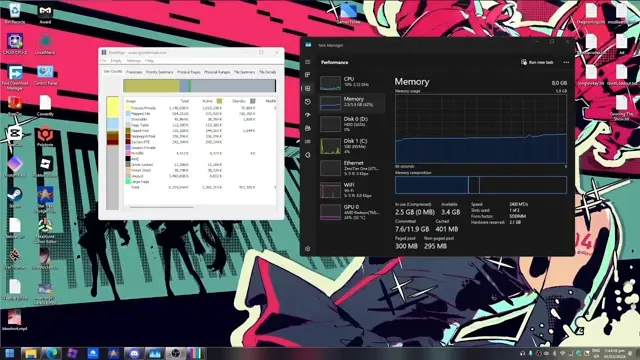
Unlike standard monitoring tools, RAMMap focuses on memory internals, making it valuable for developers, IT administrators, advanced users, and anyone trying to solve unusual memory-related problems.
Key Features of RAMMap
Feature | Practical Benefit |
|---|---|
Detailed Memory Breakdown | Shows exactly how physical memory is allocated. |
File Summary | Identifies files currently occupying RAM. |
Process Memory Analysis | Displays how individual processes use memory. |
Physical Pages View | Examines memory page allocation in detail. |
File Cache Information | Helps understand Windows caching behavior. |
Standby Memory Analysis | Reveals how much standby memory is available. |
Refresh Data | Updates memory information without restarting the application. |
Export Reports | Save memory statistics for later review or troubleshooting. |
Complete Physical Memory Overview
RAMMap separates memory into multiple categories, making it easy to understand how Windows is using available RAM instead of showing only a single usage percentage.
Analyze Active and Standby Memory
You can quickly identify how much memory is actively used and how much is sitting in the standby list. This information helps explain why Windows sometimes appears to use a large amount of RAM even when performance remains normal. If high CPU usage is also affecting your system, Quick CPU can help you monitor and optimize processor performance alongside RAM usage.
View File Cache Usage
The File Summary tab displays which files are currently cached in memory. This is useful when investigating storage performance or understanding Windows file caching behavior.
Inspect Individual Processes
RAMMap lets you see which applications and background services are consuming physical memory. If a program is using more RAM than expected, you can easily identify it.
Examine Physical Memory Pages
Advanced users can inspect physical memory pages to understand how Windows manages RAM internally. This feature is particularly useful during troubleshooting and performance investigations. If memory issues are related to graphics drivers, Display Driver Uninstaller (DDU) can completely remove old GPU drivers before installing fresh ones, while Driver Booster helps keep system drivers updated.
Refresh Memory Statistics
Memory usage changes constantly. RAMMap allows you to refresh its data at any time so you always have an up-to-date view of your system.
Export Memory Data
You can export collected information for documentation, technical support, or comparing memory usage before and after making system changes.
System Requirements
Component | Requirement |
|---|---|
Operating System | Windows 10, Windows 11, Windows Server |
Processor | Intel or AMD Processor |
RAM | 2 GB minimum (4 GB or more recommended) |
Storage | Less than 10 MB free space |
Permissions | Administrator rights recommended |
How to Download and Install RAMMap
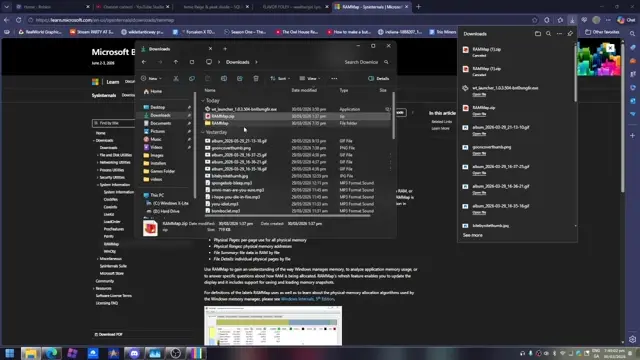
Downloading RAMMap is simple. Use the download button available on this page to get the latest version for your Windows PC. After downloading the file, follow these steps:
- Click the download button provided above.
- Save the ZIP file to your computer.
- Extract the downloaded archive using Windows or another extraction tool.
- Open the extracted folder.
- Run RAMMap.exe.
- If prompted by User Account Control, click Yes.
- Wait a few seconds while the tool scans your system memory.
- Explore the different tabs to view detailed memory information.
Pros and Cons
Pros
- Completely free to use.
- Developed by Microsoft Sysinternals.
- Very lightweight and portable.
- Detailed physical memory analysis.
- Excellent for troubleshooting memory issues.
- No installation required.
- Fast scanning and refresh options.
- Useful for developers, IT professionals, and power users.
Cons
- Interface looks outdated.
- Beginners may find some memory categories difficult to understand.
- Does not automatically optimize RAM.
- Focuses on analysis rather than performance tuning.
Conclusion
RAMMap is one of the most useful utilities for anyone who wants a detailed look at how Windows manages physical memory. Instead of relying on basic memory statistics, it provides clear insights into cached files, standby memory, processes, drivers, and system allocations. This level of detail makes troubleshooting much easier when a computer starts behaving unexpectedly.
If you regularly diagnose Windows performance problems or simply want a better understanding of your system’s RAM usage, RAMMap is an excellent choice. It is lightweight, portable, reliable, and gives you information that most built-in Windows tools simply do not provide.
System Tools:
Autoruns
Startup entry scanner
RAMMap
Memory Analysis
ParkControl
CPU Parking
Process Lasso
CPU Optimization
Wise Memory
RAM Optimizer
See More
Gaming & Media:
Razer Cortex
Game Booster
EasyBCD
Boot Management
HidHide
Controller Hiding
XOutput
Controller Emulator
DS4Windows
PlayStation Controller
See More
Internet & Network:
Neat Download Manager
Download Accelerator
Proton VPN
Secure Browsing
Psiphon VPN for PC
Secure Browsing
Iriun Webcam
Turn phone into webcam
Messenger for PC
Text messaging
See More
Productivity & Recovery:
AOMEI Backupper
Backup & Recovery
PowerToys
Productivity Tool
Cura Software
3D printer slicing software
Power BI Desktop
Data visualization
4Download Fl Studio
Music production software
See More