

700
Downloads
79
Reviews
2.5.0
Version

Download All in One Runtimes for Windows
Speed up setup and avoid runtime issues by downloading All in One Runtimes directly from our secure server. Our free download is fast, verified, and contains no ads or bundled software.
All in One Runtimes is a complete package that installs all the essential runtime components your Windows system needs to run games, software, and other programs without errors. It includes popular libraries like .NET Frameworks, Visual C++ Redistributables, Java, and DirectX—all bundled into a single, convenient installer.
Instead of manually downloading each runtime one by one, this tool simplifies the process by combining them in one place. This saves time and helps fix missing DLL errors, launch failures, and app crashes caused by missing dependencies.
In this guide, you’ll find the official runtimes all in one download link, system requirements, a simple installation walkthrough, and everything you need to keep your PC running smoothly.
What Is All in One Runtimes?
All in One Runtimes is a bundled installer that includes all the critical software libraries required by Windows applications to run correctly. Instead of downloading each component separately—like Microsoft Visual C++ packages, .NET Frameworks, Java Runtime Environment, and DirectX—this tool combines them all into a single, convenient installer.
It’s designed for users who want a hassle-free way to install all necessary runtimes at once. Whether you’re setting up a new PC or troubleshooting error messages related to missing DLLs or outdated libraries, this tool ensures your system has everything it needs to support most software and games.
Why Choose Runtimes All in One
Installing runtimes one by one can be time-consuming and frustrating, especially if you’re not sure which versions your system or applications require. That’s where runtimes all in one comes in. It automatically installs the most commonly used versions, eliminating the guesswork and fixing compatibility issues before they happen.
This pack is ideal for:
- Gamers who frequently run into missing components when launching games
- Developers setting up a clean system for testing
- IT professionals managing multiple PCs
- Everyday users fixing software errors related to runtime dependencies
It’s not just about convenience—it also improves overall system stability by filling in the runtime gaps most users don’t know exist.
System Requirements
Component | Minimum Requirement |
|---|---|
OS | Windows 7, 8, 10, 11 (32 & 64-bit) |
RAM | 1 GB (2 GB recommended) |
Disk Space | 500 MB free space |
Internet | Not required during install |
Admin Rights | Required for full installation |
How to Install All in One Runtimes?
Installing All in One Runtimes is fast and straightforward. You don’t need to be tech-savvy to get started.
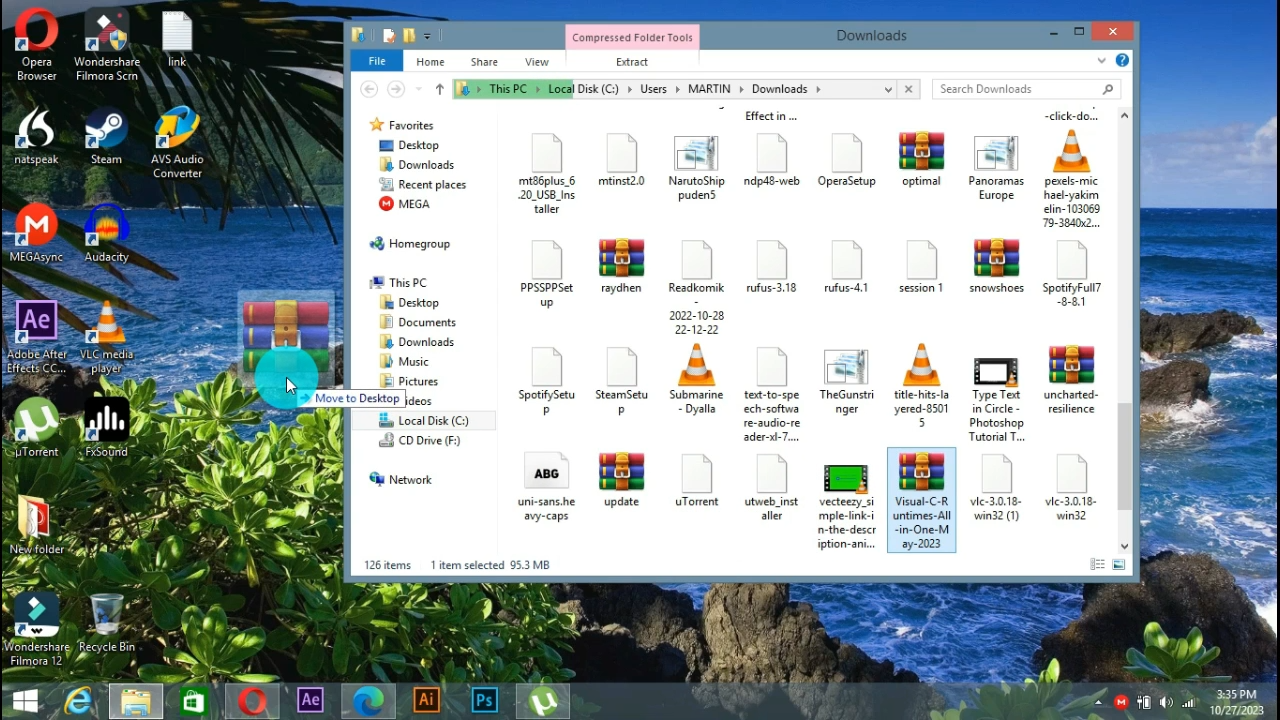
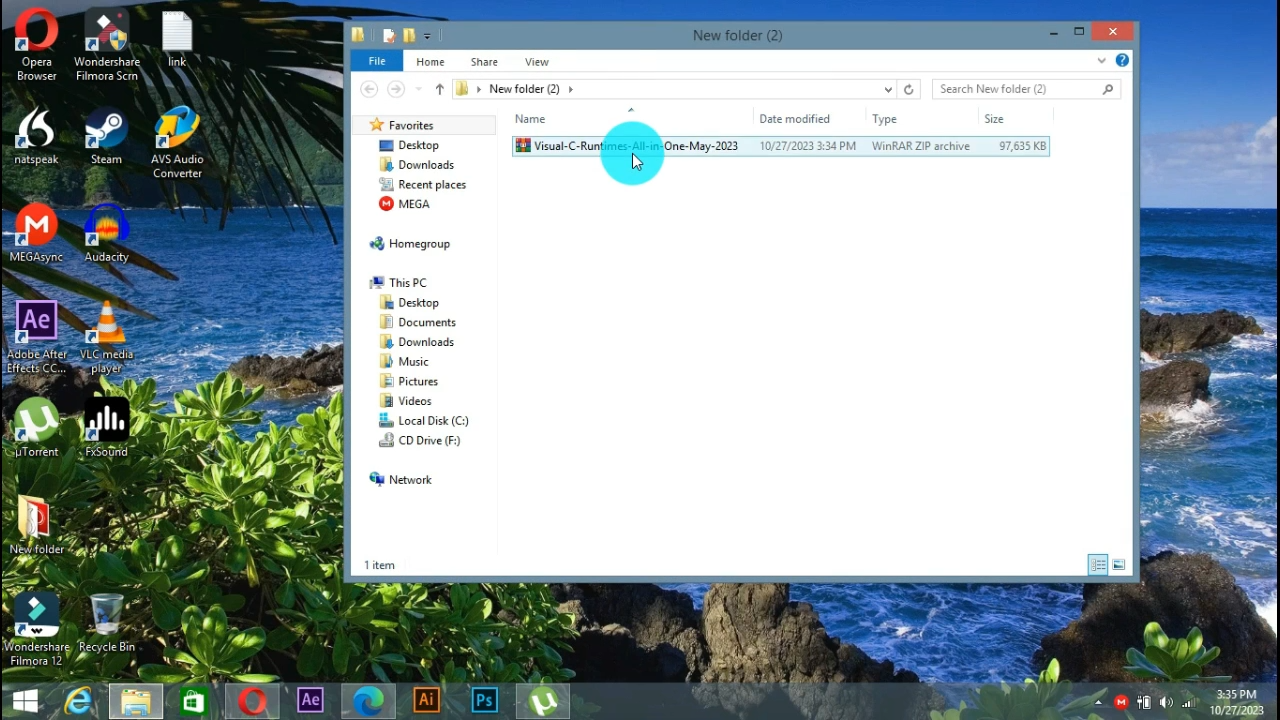
- Locate the downloaded .exe file in your Downloads folder
- Right-click and choose “Run as administrator”
- Review the list of components available for installation
- Select or deselect runtime packages as needed
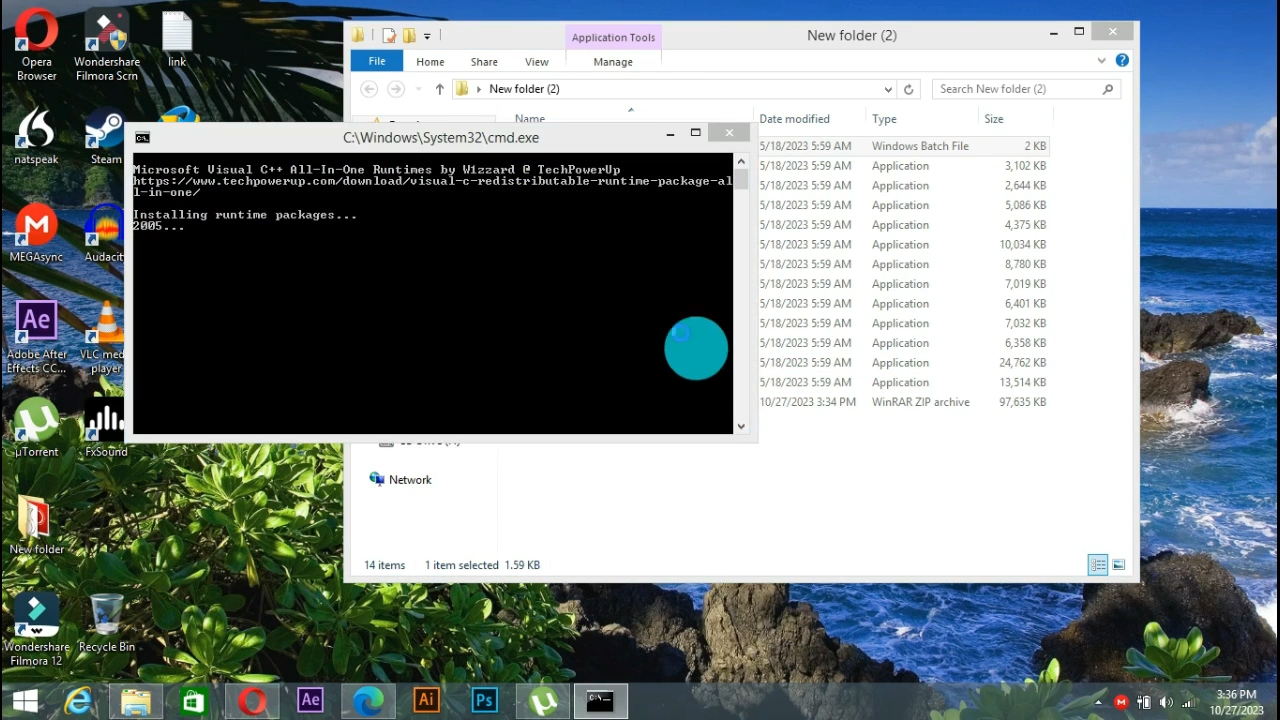
- Click “Install All” to begin the automatic setup
- Wait for the installation to complete
- Restart your PC if prompted
This process typically takes just a few minutes, depending on your system’s speed and which runtimes are already installed.
Key Components Included in This Runtime Pack
The All in One Runtimes installer includes all major runtime environments required by modern and legacy applications. These are pre-tested and safe, so you don’t have to worry about version conflicts or outdated components.
.NET Frameworks
Includes multiple versions of the .NET Framework (from 2.0 to 4.8), allowing legacy and modern apps to function correctly. It ensures smooth installation and performance of software that relies on Microsoft’s development platform.
Microsoft Visual C++ Redistributables
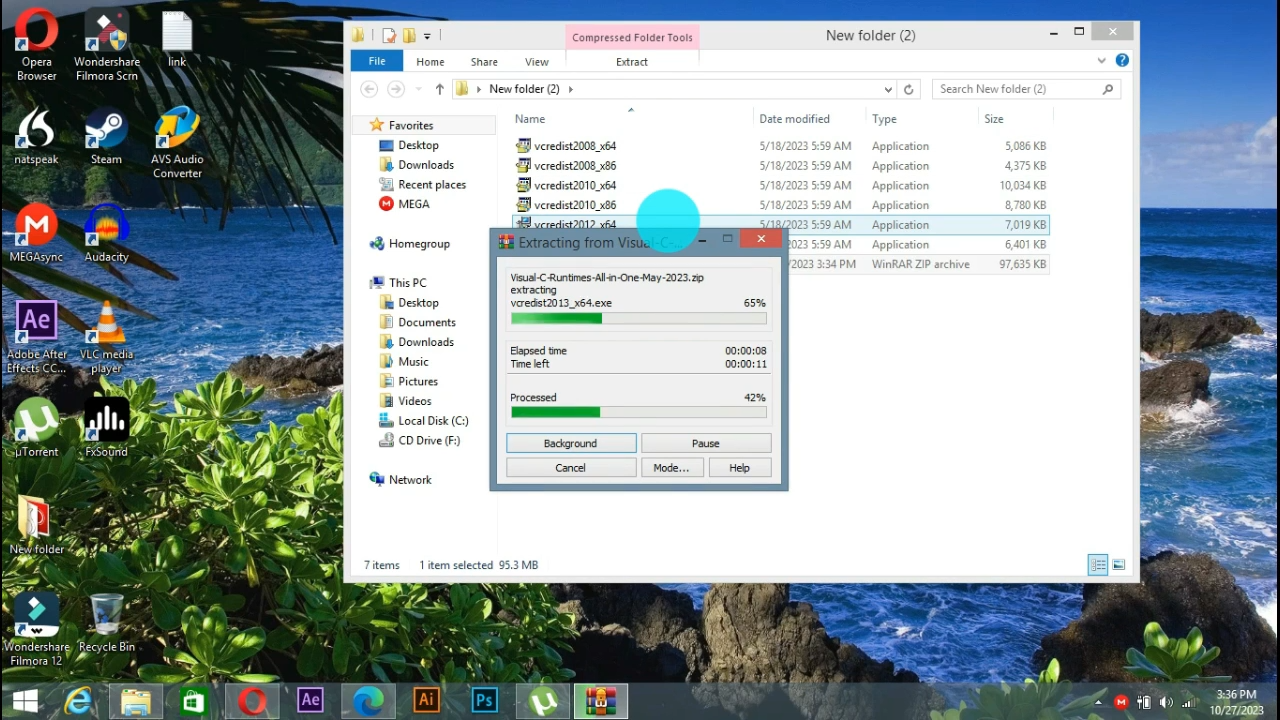
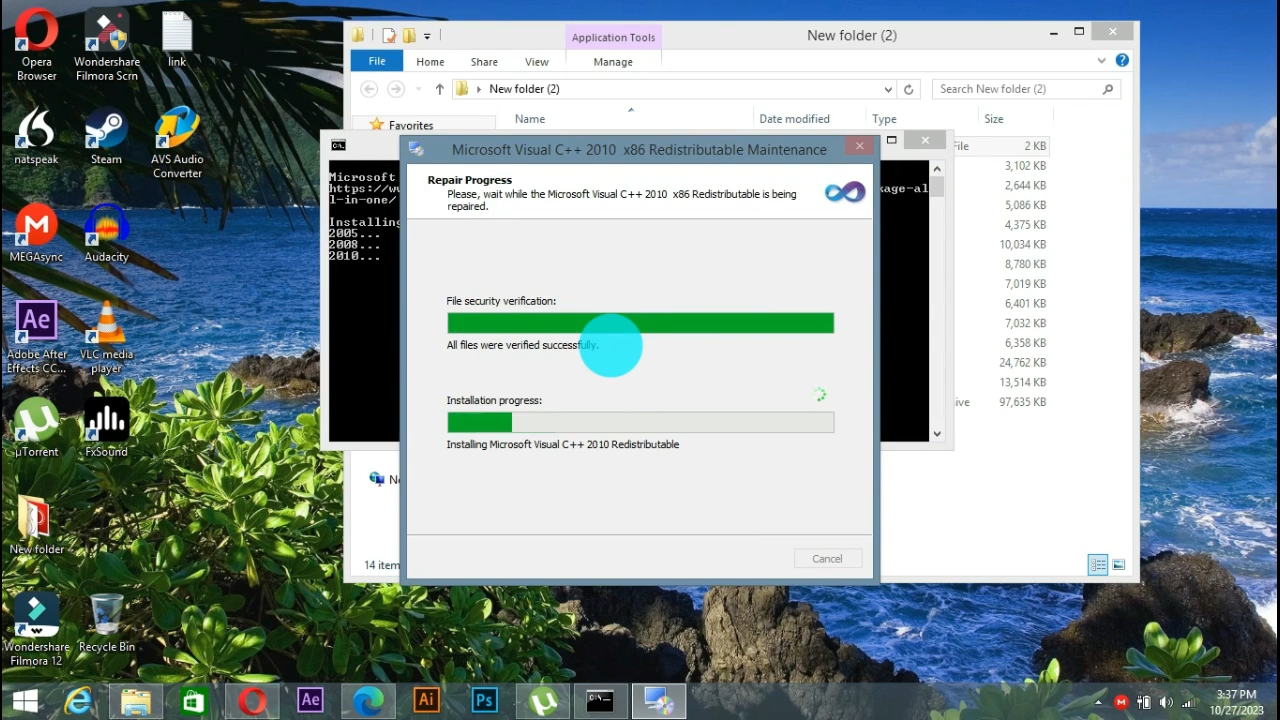
Supports a wide range of Visual C++ versions (2005, 2008, 2010, 2012, 2013, 2015–2022). These are essential for running apps and games developed with Microsoft’s C++ development tools.
Java Runtime Environment (JRE)
Installs the latest version of Java Runtime, which is required by many applications and online services. It allows cross-platform Java apps to run without compatibility issues.
DirectX
Provides full DirectX installation for gaming and multimedia apps. This includes DirectX 9.0c, which is still used by many older games, alongside newer versions for high-performance graphics.
Microsoft Silverlight & Shockwave
Although outdated, some enterprise tools and e-learning platforms still rely on Silverlight or Shockwave. This pack ensures backward compatibility for those specific use cases.
How All in One Runtimes Improves PC Stability
Software crashes, “missing DLL” errors, or failed installations often happen because your system lacks specific runtime libraries. All in One Runtimes solves this by making sure your system has everything it needs right from the start.
It prevents:
- Application launch errors
- Games crashing on startup
- Setup failures for modern and legacy software
- Performance issues caused by missing dependencies
By installing the full set of runtimes, you’re giving your PC the tools it needs to handle all types of applications, from office tools to 3D games.
Comparison with Other Runtime Solutions
Compared to downloading each runtime separately, All in One Runtimes saves time, reduces error risk, and simplifies system maintenance. Other runtime packs may include fewer components or lack the ability to skip already-installed items.
Here’s how it compares:
Feature | All in One Runtimes | Individual Downloads | Other Runtime Packs |
|---|---|---|---|
Batch install | Yes | No | Yes |
Auto-skip installed items | Yes | No | No |
Safe, updated components | Yes | Yes | Some outdated |
Offline installer | Yes | No | Yes |
Easy for beginners | Yes | No | Mixed UI |
Final Verdict
All in One Runtimes is the most efficient way to equip your PC with every critical runtime it needs. From gaming and development to everyday software use, it ensures compatibility and prevents annoying errors. The installer is free, safe, and beginner-friendly—making it a must-have for new systems or PC maintenance.
Download it today and give your Windows system full support for modern and legacy apps alike.
System Tools:
Autoruns
Startup entry scanner
RAMMap
Memory Analysis
ParkControl
CPU Parking
Process Lasso
CPU Optimization
Wise Memory
RAM Optimizer
See More
Gaming & Media:
Razer Cortex
Game Booster
EasyBCD
Boot Management
HidHide
Controller Hiding
XOutput
Controller Emulator
DS4Windows
PlayStation Controller
See More
Internet & Network:
Neat Download Manager
Download Accelerator
Proton VPN
Secure Browsing
Psiphon VPN for PC
Secure Browsing
Iriun Webcam
Turn phone into webcam
Messenger for PC
Text messaging
See More
Productivity & Recovery:
AOMEI Backupper
Backup & Recovery
PowerToys
Productivity Tool
Cura Software
3D printer slicing software
Power BI Desktop
Data visualization
4Download Fl Studio
Music production software
See More