
2.6k
Downloads
88
Reviews
1.6.2
Version

Free Speed AutoClicker Download for Windows
You can get the official installer from our website. It can be safe, tested, virus-free, and have no ads. No installers, just pure clicking power. Get the Speed AutoClicker now with a secure and instant download below.
It is an advanced and lightweight tool that allows users to control mouse clicks with perfect timing. This autoclicker is created for gamers, testers, and anyone who needs fast, repeated clicks with adjustable speed and timing.
It has a simple interface and modern hotkey support, and like its name, Speed AutoClicker fastens the auto-clicking. No matter if you need it for a game or speeding up repeated work. This Autoclicker gives you full control without slowing down your system.
This article will help you learn about the free Speed AutoClicker download, installation steps, system requirements, usage instructions, and tips to get the most out of this high-performance auto-clicking software.
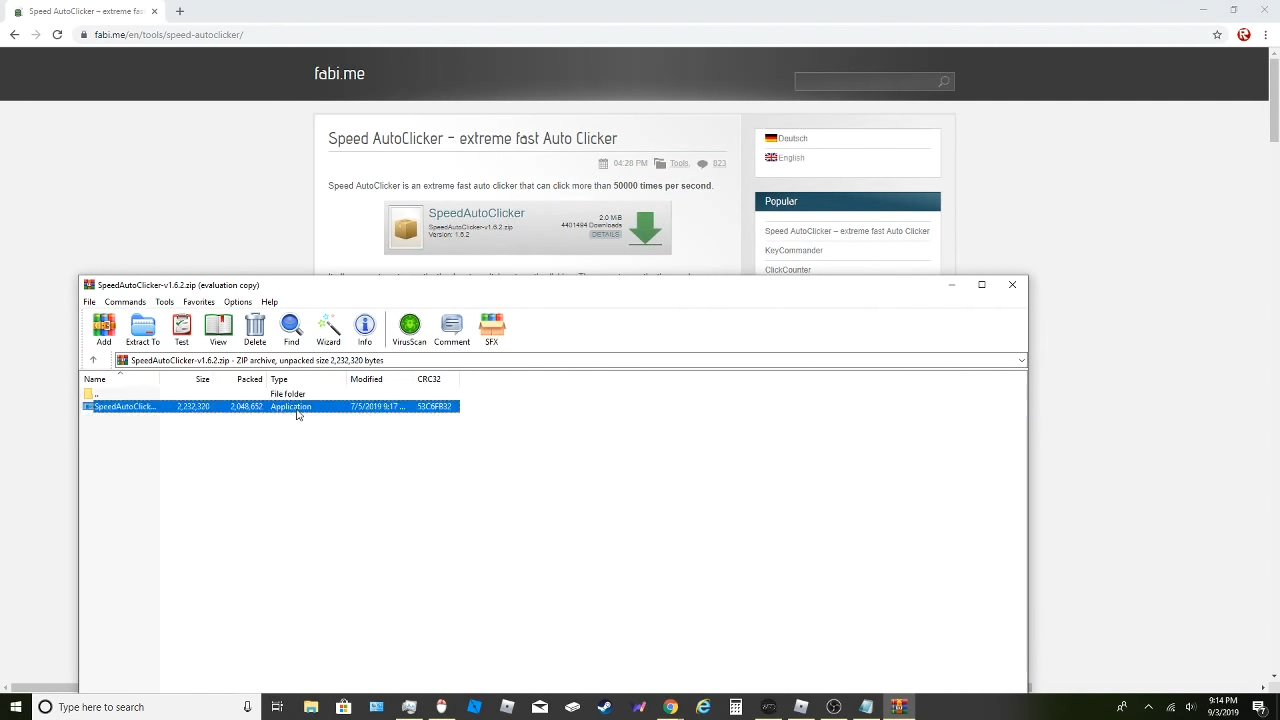
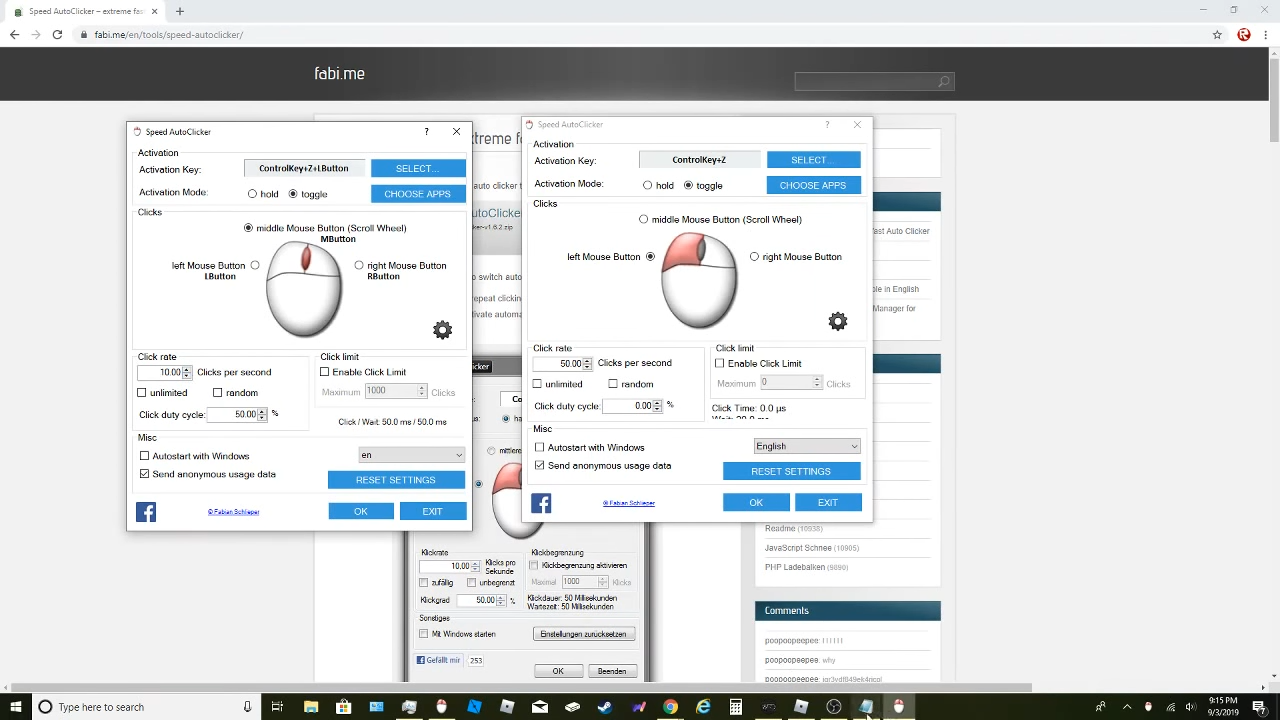
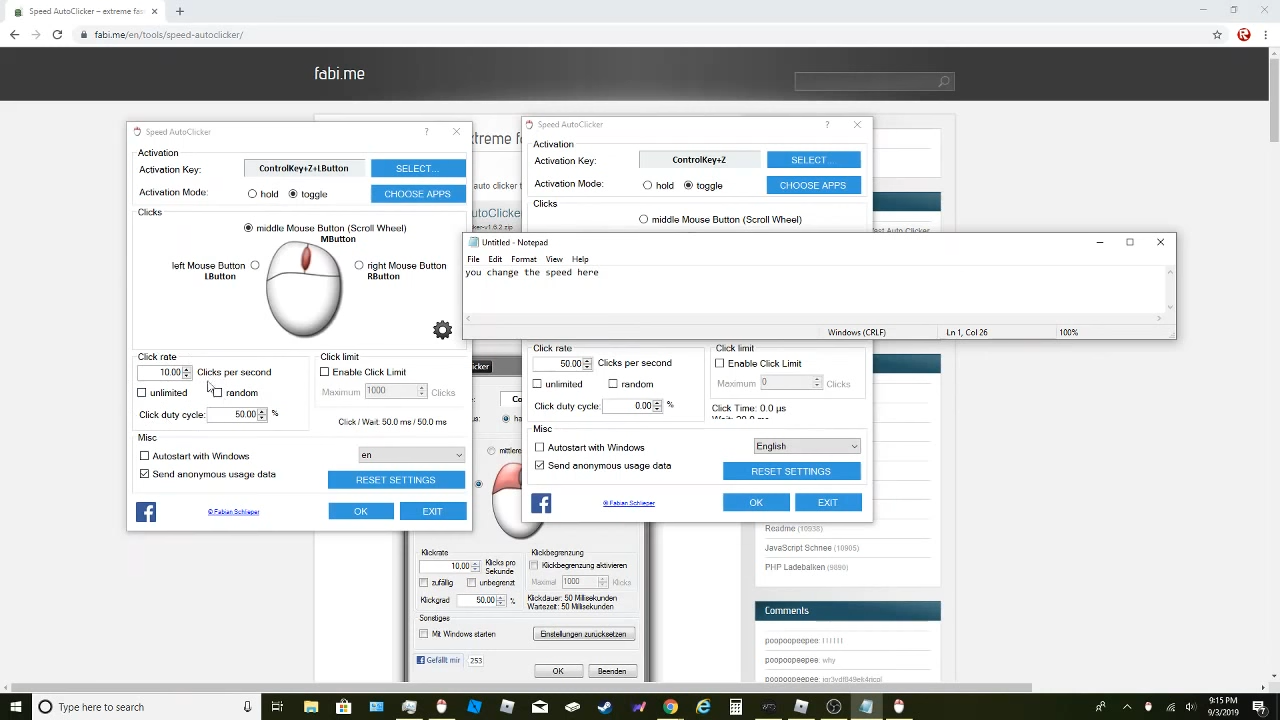
What Is Speed AutoClicker?
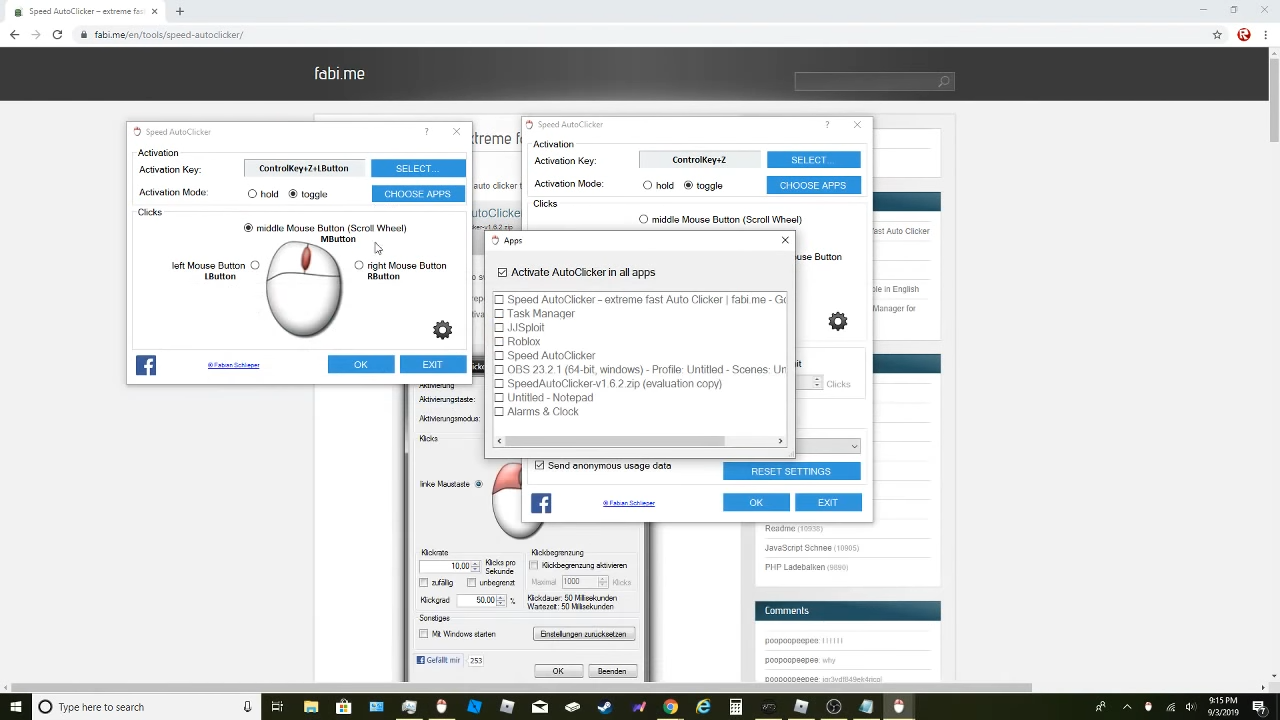
Speed AutoClicker is a strong Windows tool that handles mouse clicking for you, giving full control over timing and repeats. It supports left, right, or double clicks at speeds you choose. This makes it great option for gamers, testers, or anyone who needs quick, hands-free clicking. Unlike bulky alternatives, this tool keeps things simple. It gives users quick access to click settings, hotkey setup, and click location control, with nothing unnecessary.
Why Choose Speed AutoClicker Over Other Tools?
Speed AutoClicker is better than other auto-clickers for three main reasons:
- Minimal resource usage: It has pure clicking power without any hidden background tasks.
- Fully customizable settings: You can adjust click intervals, delays, types, and repeat counts.
- Safe and offline: The installer is safe, malware-free, and comes without any unwanted extras.
As it gives priority to perfection and safety, this tool beats heavy software and risky downloads often found online. It’s a trusted and reliable speed auto-clicker
System Requirements
Meeting these requirements lets you set up quickly and start using the auto-click features right away.
Component | Minimum Requirement |
|---|---|
OS | Windows 7, 8, 10, 11 (32/64-bit) |
Processor | 1 GHz or faster |
RAM | 512 MB minimum (1 GB recommended) |
Storage | 5 MB free disk space |
Admin Rights | Required for installation |
Speed AutoClicker Installation Guide
Installing Speed AutoClicker takes less than a minute and requires no advanced skills. Just follow these simple steps:
- Run the downloaded .exe file
- Accept the license agreement and press Next
- Choose installation directory (or use default)
- Click Install, then Finish after completion
- Launch the app, find it in your Start menu or desktop
- Test a click: set interval, press your hotkey, and verify it works
No reboots or extra tools needed, you’re ready to automate clicks instantly.
How to Use Speed AutoClicker?
Use Speed AutoClicker with ease using this quick-start guide:
Setting Click Interval
Set up time between clicks in milliseconds to seconds. The interface shows live updates of your click speed for better accuracy.
Choosing Click Type
Pick left, right, or double clicks. Great for gaming, web use, and testing software.
Assigning a Hotkey
Select a key like F5 or F10 to start and stop the auto-clicking. You can change or turn off hotkeys anytime in the settings.
Targeting Location
Turn on Repeat as long as the key is held to auto-click at the mouse pointer. Or set the exact X and Y points for tasks like auto patching or menu scrolling.
Best Practices & Safety Tips
To use Speed AutoClicker responsibly and efficiently:
- Avoid auto-clicking in competitive games where it violates terms
- Run as administrator if clicks don’t register—especially in elevated apps
- Add the .exe to antivirus allow-list to prevent blocking
- Update drivers if the hotkey acts erratically
- Test click patterns before using them in productivity tasks
Following these guidelines ensures safe, reliable clicking every time.
Advanced Features You’ll Love
Speed AutoClicker may be lightweight, but it includes advanced features that make it powerful for experienced users. These options add flexibility, control, and safety—great for longer or harder automation tasks.
Random Delay
With the help of this feature, you can change the time between clicks slightly so your clicks don’t look robotic. It is helpful in apps or games that detect repeated patterns. The random delays make the clicks natural without affecting them.
Auto-Stop Conditions
Having auto-stop controls, you can make limitations on clicks or the total time the autoclicker should run. This is best choice when you are away from the keyboard or automating a process with a known end. When the limit is hit, the program stops on its own, so you don’t have to keep watching it.
Startup Options
You can set Speed AutoClicker to start minimized or launch automatically when your PC turns on. This saves time if you use it often. Set it once and it’s ready every time you start your computer.
Final Verdict
Speed AutoClicker gives you fast, reliable, and customizable auto-clicking without any extra clutter or risks. Perfect for games, testing, or daily tasks. Take full control with smart features. It’s free, easy to install, and ready to use in seconds after download.
System Tools:
HWiNFO
Hardware Monitoring
CPU-Z
CPU Details
LatencyMon
System Latency Monitoring
Autoruns
Startup entry scanner
RAMMap
Memory Analysis
See More
Gaming & Media:
Razer Cortex
Game Booster
EasyBCD
Boot Management
HidHide
Controller Hiding
XOutput
Controller Emulator
DS4Windows
PlayStation Controller
See More
Internet & Network:
TCP Optimizer
Internet Optimization
Neat Download Manager
Download Accelerator
Proton VPN
Secure Browsing
Psiphon VPN for PC
Secure Browsing
Iriun Webcam
Turn phone into webcam
See More
Productivity & Recovery:
AOMEI Backupper
Backup & Recovery
PowerToys
Productivity Tool
Cura Software
3D printer slicing software
Power BI Desktop
Data visualization
4Download Fl Studio
Music production software
See More